

Where it lives
The tree is edited under Admin settings → AI → Document classification. Viewing requires the AI configuration view permission; saving requires AI configuration manage. Everything document classification needs is configured on this one page: the tree itself, the main extraction prompt, the OCR page cap, and the dataset-matching guidance.Anatomy of the tree
The tree’s root branches are everything the AI may classify an upload as — a document matching none of them gets no suggestion. Each branch can hold sub-branches, splitting a broad category into progressively more specific ones. A branch with no children is a leaf, where keyword extraction runs. Each branch has:
Split into sub-branches turns a leaf into a decision step: extraction moves to the new
leaves, which receive the branch’s prompt on top of their own. Use it when one description can no
longer handle a branch’s variety.
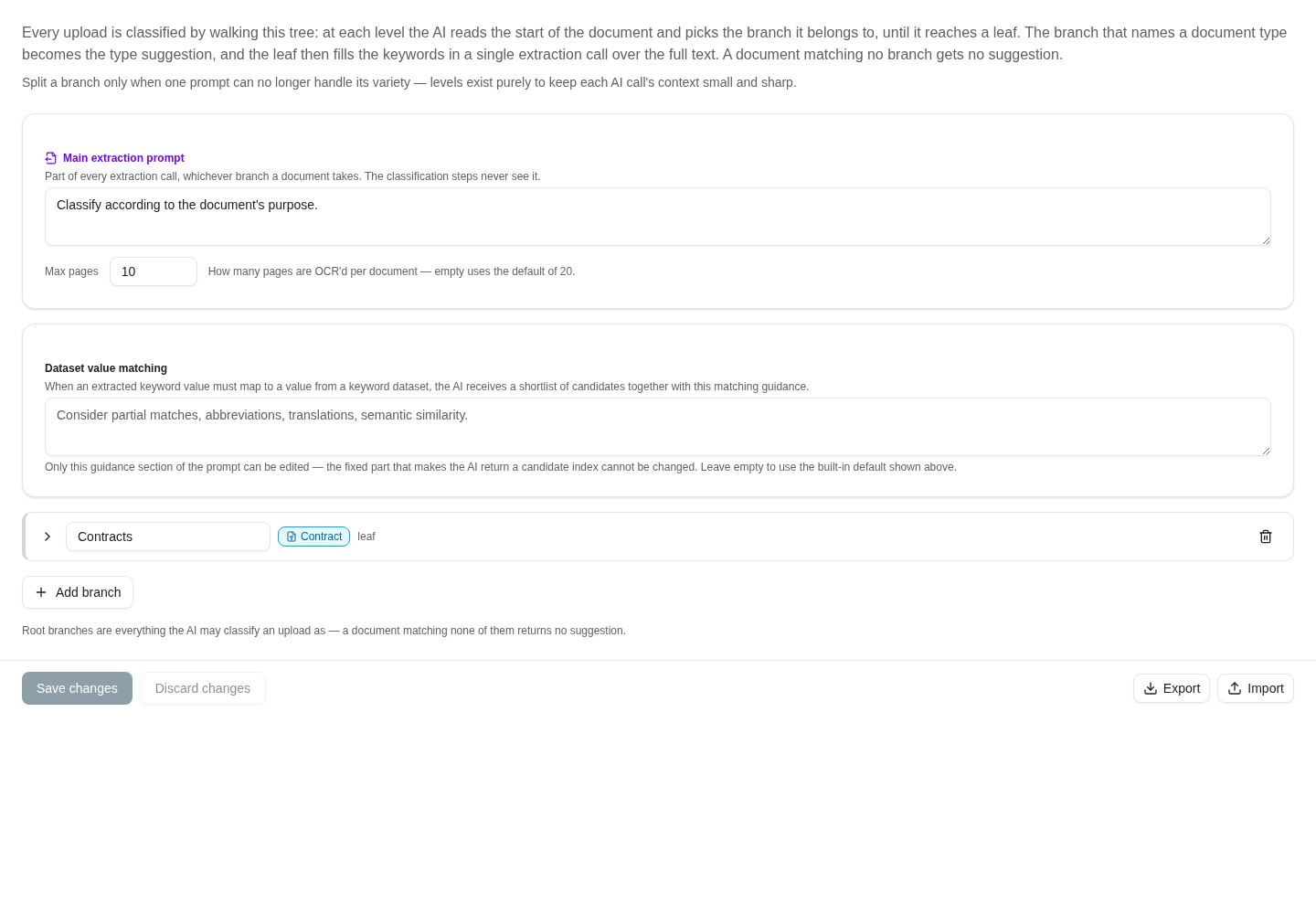
The Contracts leaf maps to the Contract document type; extraction context and dataset matching are configured separately.
Writing good branch descriptions
The when to choose text is the single biggest lever for classification quality:- Use the document’s own words. The AI must quote evidence for every choice, so descriptions containing phrases that literally appear in those documents (“dividend statement”, “lease agreement”) give it something to anchor on.
- Say what a branch is not for. When two branches attract the same documents, give the losing branch an explicit exclusion (“not for shareholder or dividend paperwork”).
- Keep siblings contrastive. The AI only ever compares siblings at one level — write each description so it separates that branch from the others at the same level, not from the whole tree.
Prompts
- Main extraction prompt — part of every extraction call, whichever branch a document takes. The classification steps never see it. Put universal rules here (formatting, “leave a keyword out when its value cannot be read”, language conventions).
- Branch prompts accumulate down the path: a leaf’s extraction call receives the main prompt, every parent’s shared prompt, then its own — in that order, in a single call with the document text. Write instructions once at the highest level they apply to instead of copying them into every leaf.
Max pages
Max pages caps how many pages are OCR’d per document; empty uses the default of 20. It is the one page cap for the whole analysis — classification and keyword extraction read the same text. Set it when your documents front-load their identity (letterhead, first-page summaries) and tail pages only add cost.Dataset-matching guidance
When an extracted keyword value must map to an entry from a keyword dataset, the AI receives a shortlist of candidates together with the matching guidance configured on this page. Only the guidance section of that prompt is editable — the fixed part that makes the AI return a specific candidate cannot be changed. Leave it empty to use the built-in default.Verify dataset ambiguity as well as extraction
Use test documents whose extracted names or references match one dataset value, several plausible values, and no valid value. In the ambiguous case, the upload form should offer Multiple matches for a user decision. A high-confidence reading of the source text is different from identifying the right dataset record. Tune dataset-matching guidance with these cases and recheck them after changing a branch or dataset. Keep an explicit no-match case so a convincing but incorrect value is not mistaken for a successful classification.Validation
Saving validates the tree and rejects, with a message naming the offending branch:- A blank branch name, or the reserved name “None of the above”.
- Duplicate names among root branches or among siblings.
- A path stamping two document types, or a leaf whose path stamps none.
- The same document type stamped on two different branches.
- An allowed-keywords set that widens what a level above restricted.
Import and export
Export downloads the tree as a JSON file; Import loads one into the editor for review — nothing is applied until you press Save. Use export/import to move a tree between environments or to keep versioned backups before larger restructurings.Where to read next
Structured extraction profiles
Define the schema, prompt context, page limit, and deterministic checks for structured document extraction.