

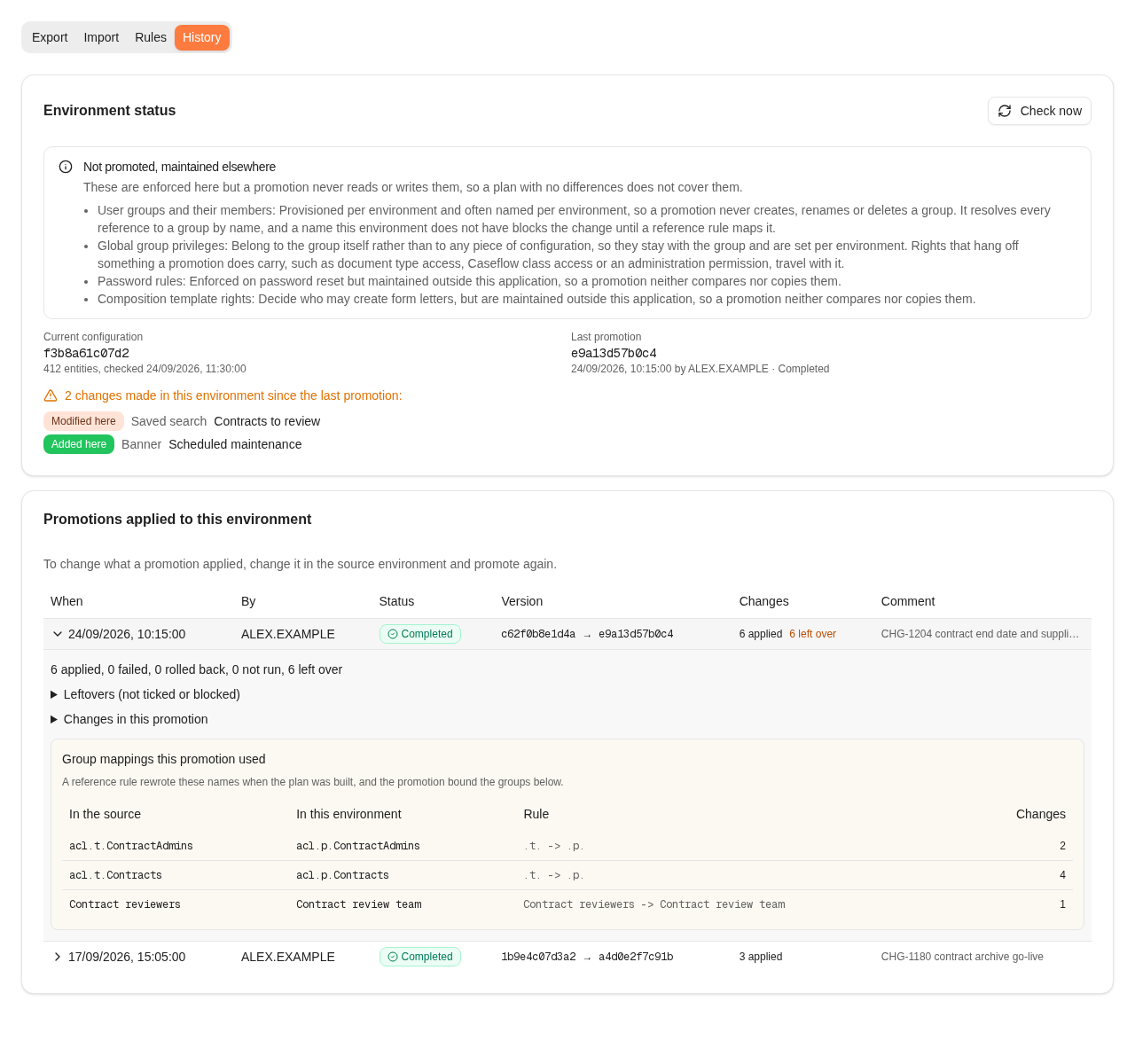
History after a promotion: the environment status shows two changes made here since, and the latest promotion is opened with the group mappings it used. All names are fictional.
Environment status
Select Check now to read the configuration again.
If the fingerprints match and nothing is listed, the environment still holds exactly what the last promotion left. Changes listed since the last promotion were made directly in this environment. The next promotion would overwrite them. Before you promote into the environment, either bring those changes into the source environment or record them as kept different.
If a part of the product could not be read, for example because workflows were unreachable, its types are listed separately. The fingerprint and the change list then leave those types out.
Promotions applied to this environment
The list shows the latest 50 promotions, newest first:
Open a row by its date to see the counts, the reason for each failed change, and the group mappings the promotion used. Leftovers (not ticked or blocked) lists the changes that were not applied and why. Changes in this promotion gives the outcome of each change:
The record of each promotion is shown to everyone who can open the page. The individual changes, leftovers and mappings are shown only for the configuration types you can view.
Correcting a promotion
A promotion cannot be undone from History. The configuration is saved as a version before and after each promotion to produce the fingerprints and the change list, but there is no step that restores it. To correct what a promotion applied, fix it in the source environment and promote again. If the environment must differ on purpose, record it as kept different. When a promotion fails part way, the steps saved before the failure stay saved. Open the promotion in History to read which change failed and why. Fix the cause, then import the same file again: what was saved now shows as unchanged, and the rest can be applied.Troubleshooting
Where to read next
Release notes
What changed in Nobly Insight, release by release — written for the people who use and administer it.
Configuration promotion
What a promotion covers, what it never moves, and the permissions it needs.