

Prerequisites
AI capabilities must be available in your environment. Chat administration usesai.chat.settings.view or ai.chat.settings.manage. Shared model and rate-limit administration uses ai.configuration.view or ai.configuration.manage.
These controls shape AI behavior. They do not grant the person using an agent access to otherwise restricted content.
Configure an agent’s purpose and boundaries
Under Admin settings → AI Assistant → Agents, create a search agent or a document agent:- A search agent supports conversations over an explicitly configured search context.
- A document agent is offered for eligible document types and uses the document context.
Untick AI chat for an agent that only makes sense inside a template, for example one bounded on a Caseflow object’s id. This hides it from the picker; it is not a security setting. Its user groups, boundary, and the user’s own document rights still decide what it can reach. Document agents have no Offered in setting.
With neither option ticked, the agent is offered nowhere: no new AI chat or template lists it, and existing conversations keep working. If none of the agents that apply to a user is offered in AI chat, the AI chat tells the user that no agent is offered there for them.
A bounded search agent can also back a Caseflow DocumentChat, a chat over the documents of an object inside its view. Offer it in Caseflow templates. The template refers to the agent by its name, so keep the name unique among the agents a group can use. Renaming the agent means updating the templates that name it. The agent must have keyword types (its keyword boundary), and the template’s document search must pin them with values, for example the selected object’s id. An agent offered in Caseflow templates cannot be saved without keyword types, and a DocumentChat refuses to start when the conversation would not be limited to the template’s documents, also for an agent that only restricts document types. The panel shows no approval cards for proposed keyword changes, so set
propose_keyword_updates to Off under Tool overrides for such an agent.
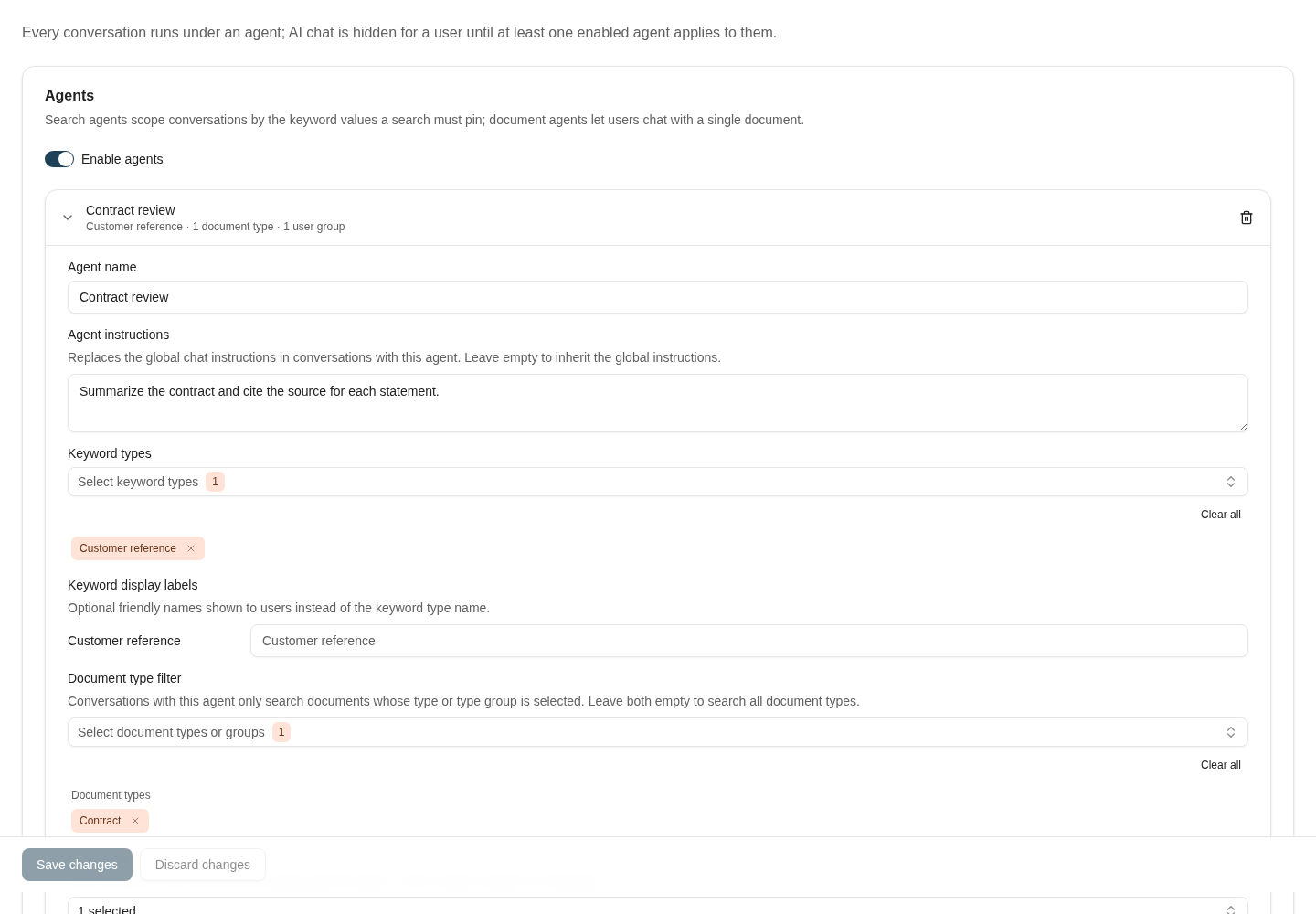
This search agent requires Customer reference and restricts its document scope to Contract.
Tools and overrides
Configure shared chat tools and inspect the agent’s Tool overrides. Inherit, On, and Off express that agent’s choice relative to the shared setting. Review the effective behavior in a test conversation instead of assuming a tool label alone proves it will execute. An enabled tool still operates within its available backend capability and the caller’s access. Test both an allowed action and a denied one when granting a new operational capability.Verify proposals and continuing access
Where a keyword-change tool is enabled, the assistant presents proposed changes for approval. The person using the conversation reviews the selected changes before approving; rejecting the proposal executes none of them. The tool policy and the person’s document rights still apply. Test the agent with an allowed document, an inaccessible document, and a conversation whose access is later revoked. A conversation’s retrieval scope is fixed when it is created and cannot silently widen. To work with a different scope, start a new conversation with an eligible agent. Agent instructions are configured per agent. Do not depend on an older global chat-instructions setting. Keep displayed keywords useful for distinguishing documents, and verify that the agent’s groups and content restrictions match the intended audience.Quick prompts and history
Use Chat quick prompts to offer reusable text with a title, prompt text, optional category, and optional group or agent restrictions. Selecting a quick prompt prefills the message; it does not submit it, and the user can edit it. Do not use a quick prompt as an enforcement mechanism. Review Chat history settings for conversation retention. Keep the retention decision aligned with your organisation’s policy; it is separate from document retention.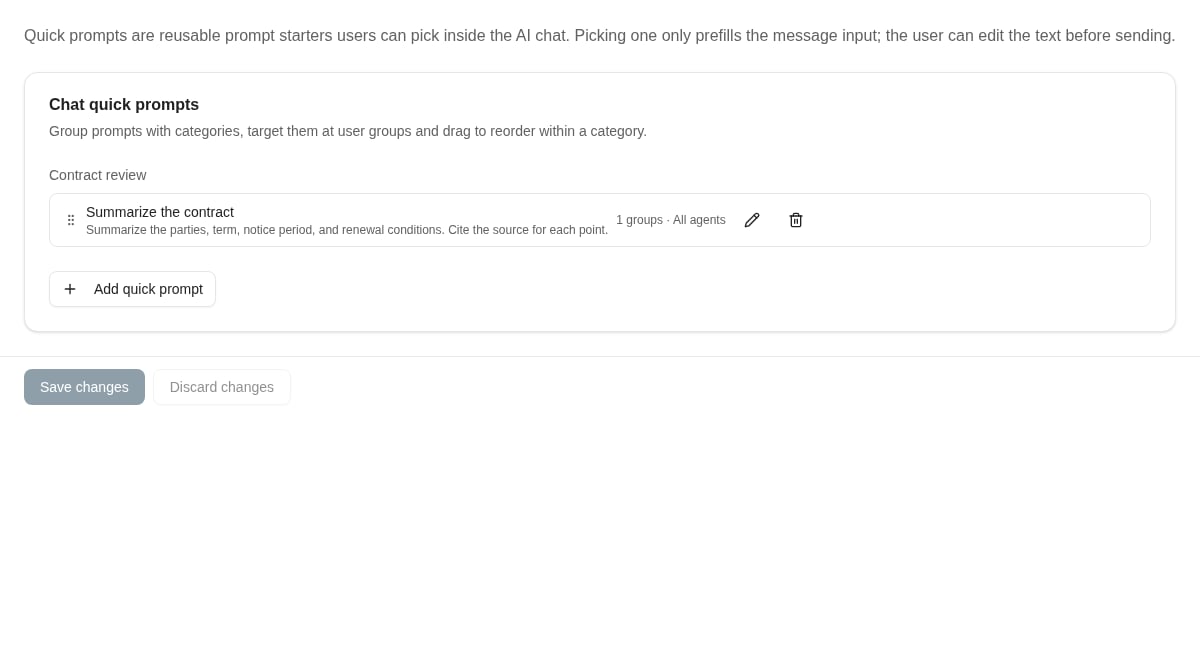
Quick prompts provide editable conversation starters, with categories and group targeting.
Select models per task
Open Model selection in AI administration. Each task can use the default model or an override from the available catalogue, with a reasoning setting where the selected model supports it. Review the effective/default status after saving. A model that does not support reasoning has that control disabled; choose a supported model before setting a reasoning level. A supported None level is a reasoning choice, not a way to disable the AI task. Use the same representative inputs when comparing a change. Check output quality, required fields, latency, and errors. A model change for one task does not necessarily change every AI feature. Resetting an override returns that task to its configured default.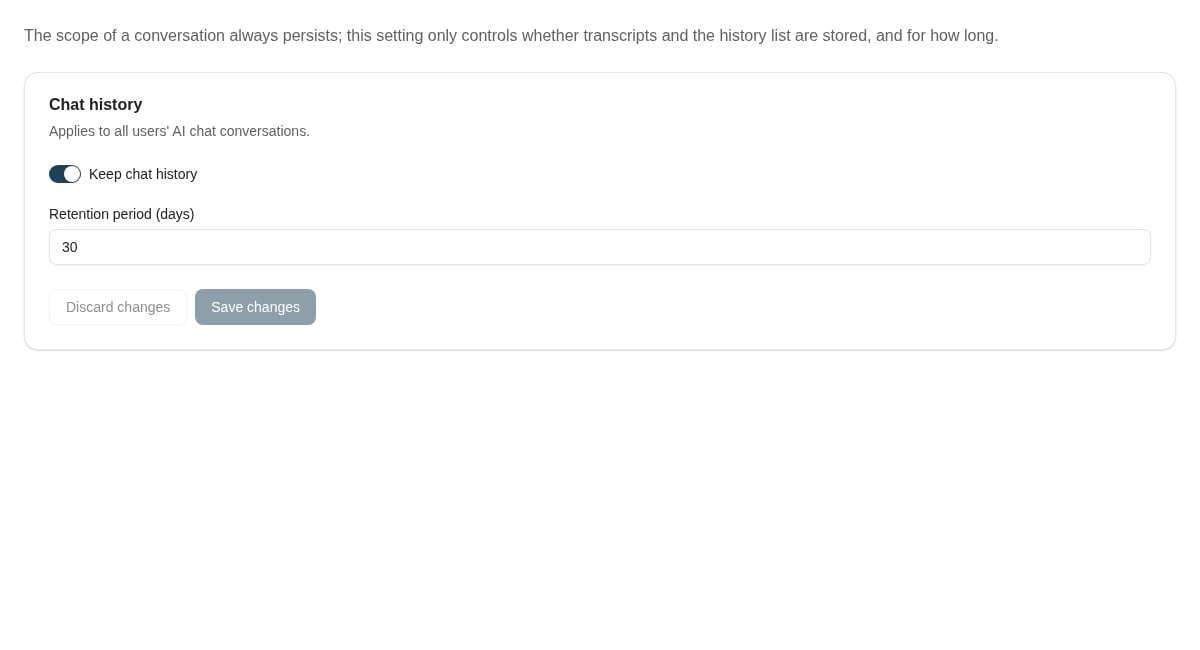
Chat history settings determine whether conversations are stored and how long they are retained.
Request limits and usage
Rate limiting configures a maximum request count, time window, and enabled state. Coordinate changes with the people responsible for the workload; disabling a limit does not make the underlying service unlimited. Use Usage statistics to investigate usage before changing shared settings. For missing or slow search results, use AI search index administration to separate retrieval/indexing problems from model behavior.Where to read next
Admin assistant
Ask questions about your configuration and have the admin assistant prepare changes for you to approve.
AI search index administration
Inspect indexed content and plan a bounded indexing or metadata-refresh operation.