

Per-assignment behaviour
When you assign a keyword to a document type, you also control how it behaves on that type’s indexing form. The same keyword type can behave differently on different document types — required on one, hidden on another — because behaviour is set on the assignment, not on the keyword type itself. You set these on each keyword in the assignment editor under Admin settings → Keywords → Keyword assignments. To change one setting across many keywords at once, use bulk edit.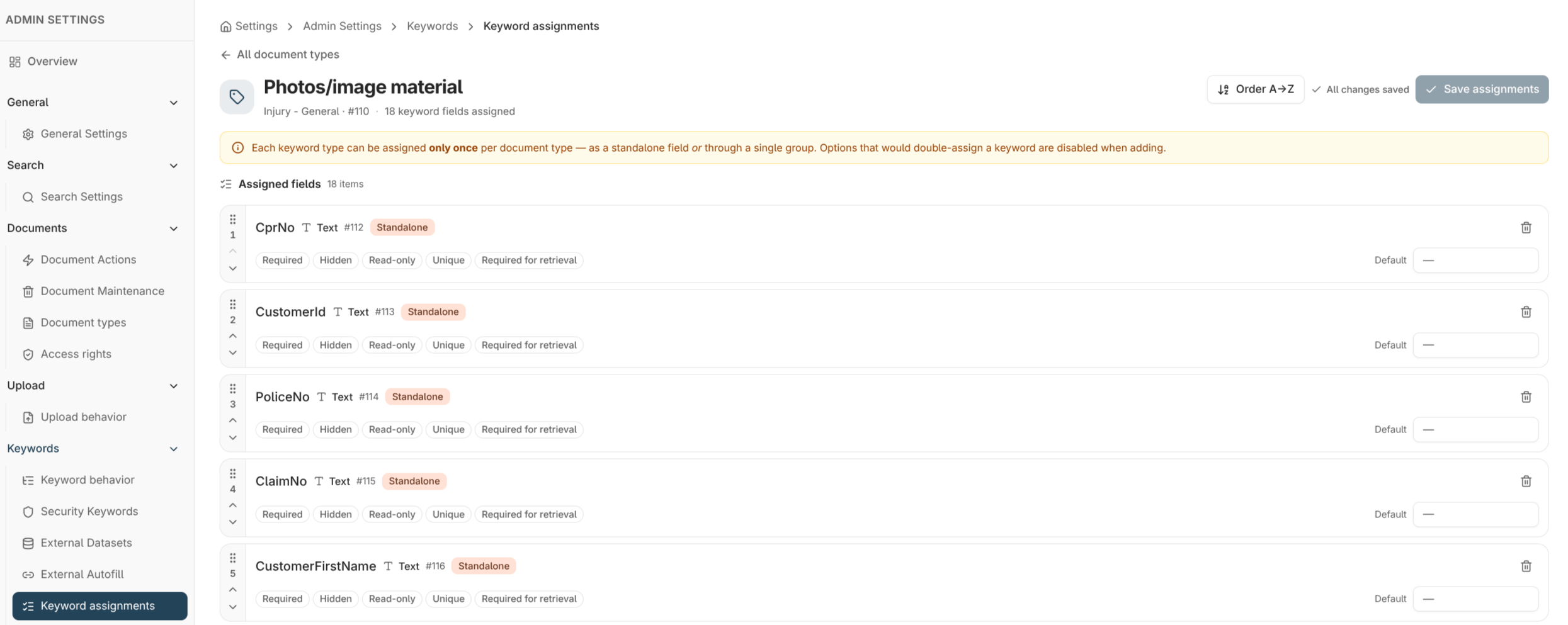
The behaviour flags
Read-only and hidden are different: a read-only keyword is visible but locked, a hidden keyword is not shown at all. Combine default value with read-only to stamp a fixed value users can see but not change.
Conditional keyword rules
Beyond per-keyword flags, you can define conditional rules that change keyword behaviour based on other values — for example, show a keyword only when another keyword has a particular value, or set a default conditionally. Manage these under Admin settings → Keywords → Keyword behavior. Conditional rules are scoped per document type and are evaluated live on the indexing form as users enter values. They’re the tool to reach for when a static required or hidden flag isn’t enough and the behaviour needs to depend on context.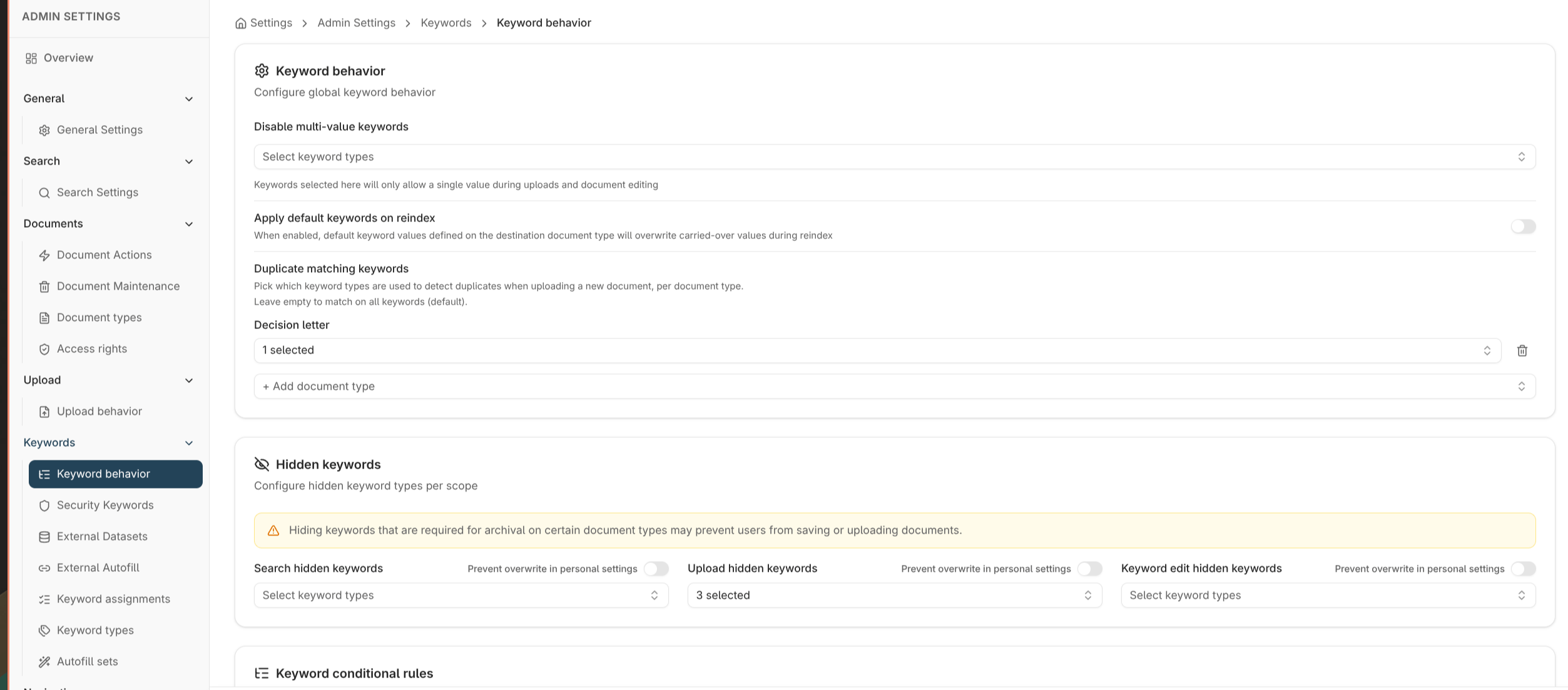
Where to read next
Document access rights
Decide what each user group can do with documents of the types these keywords are configured on.
Keyword assignment models
Add the keywords whose behaviour you’re configuring, as standalone fields or groups.
Document types
The document types these keyword behaviours apply to.