

How a document moves through ContentFlow
- A sending system submits an item: the file, its properties, and the name of the workflow that should process it. See Incoming items.
- ContentFlow records a run for the item, identified by its trace ID, and starts the workflow’s published version, or its draft if the workflow has never been published.
- The workflow’s steps do the processing work, such as fetching a file, converting it, or looking something up in another system.
- A Map to Insight document step runs a document mapping, which decides the document type, document date and keywords.
- Upload to Nobly Insight archives the document. Later steps can notify the sender, archive the metadata alongside, or record the new document ID.
- The run ends Completed, or Failed with an explanation. You can rerun failed runs after fixing the cause; see States and recovery.
Key concepts
The ContentFlow application
Open the ContentFlow application provided for your environment and sign in with your usual account. The Home page summarises the last day’s runs and lists recent failures. The menu shows only the areas your permissions allow.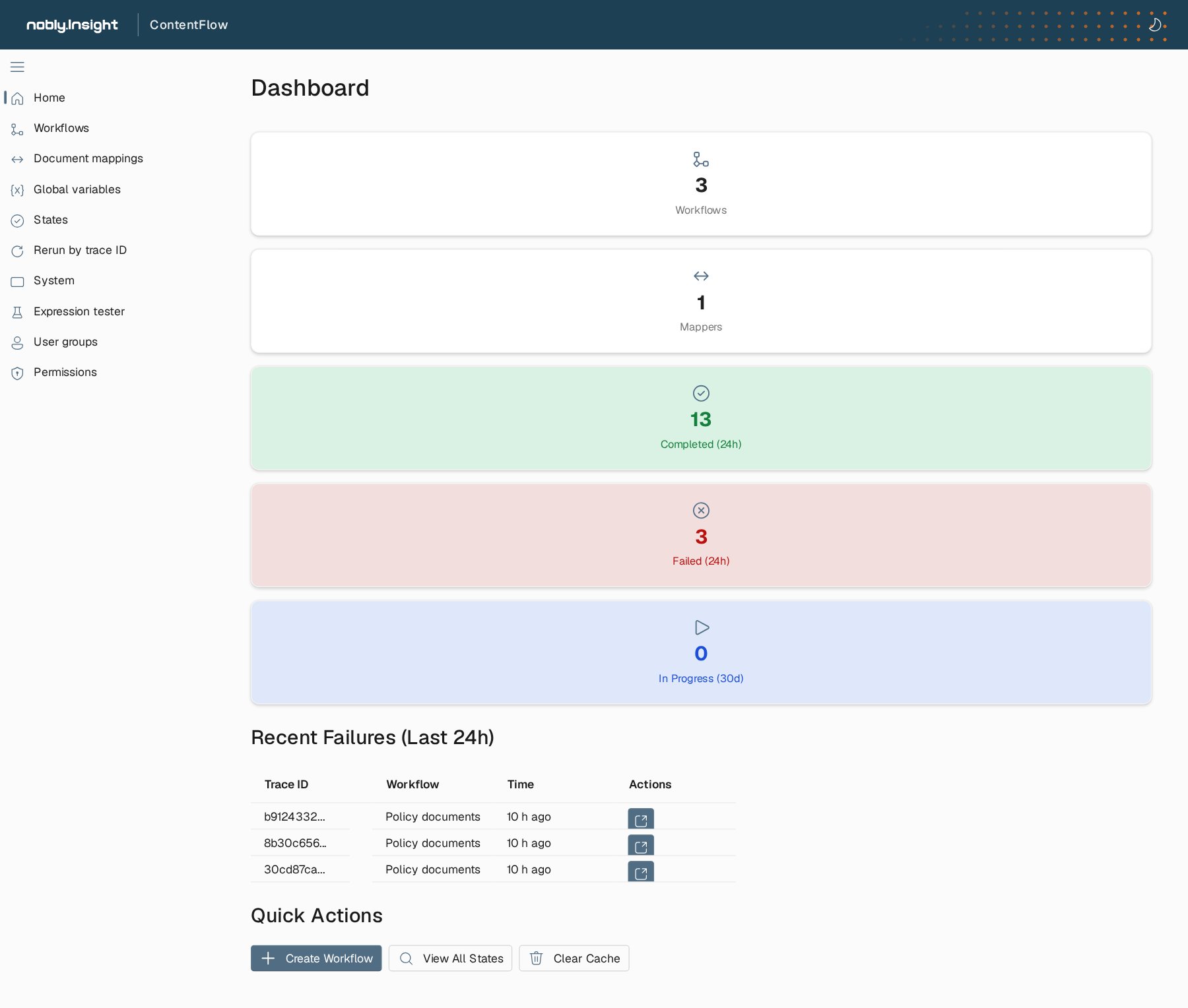
The ContentFlow home page with the full menu. The cards count workflows, mappers and the last day's completed and failed runs; recent failures link to their details.
Set up a new document flow
1
Agree on the contract
With the sending system’s team, agree on the workflow name, the item properties and their meaning, the file formats, and how batches are named. With the people who own the destination, agree on the document types and keywords.
2
Grant access
Create user groups for the people who build, test and operate the flow, and grant them only what they need.
3
Build and check the mapping
Create the document mapping. Try it with samples of every kind of document, then check it against Nobly Insight for every document type it produces.
4
Build the workflow
Build the workflow with its Map to Insight document and upload steps, and an exception flow that leaves a clear failure.
5
Test the draft
Run workflow tests for normal documents and for the failures you expect, in a test environment.
6
Publish and watch
Publish the mapping first, then the workflow. Let the sending system start with a small batch, and follow it on the States page before you increase the volume.
Where to read next
Access and permissions
Map your identity provider’s groups to ContentFlow user groups and grant each group what it needs.
Incoming items
What a sending system delivers to ContentFlow, and how to confirm that an item was processed.