

Prerequisites
The structured extraction feature must be available. Open Admin settings → AI Document Processing → Extraction profiles.
A profile describes the JSON data an extraction request should return. It is different from the document classification tree, which chooses a document type and suggests indexing keywords. Editing an extraction profile does not automatically assign it to an upload-classification branch.
Define a profile
Choose New profile and fill in the Definition tab:
If one document is made of several parts, such as an expense claim with its receipts, say so in the prompt context; see A file with several documents.
Give fields precise descriptions. A field called
reference with no explanation is ambiguous when a document contains an invoice number, customer number, and payment reference.
A minimal schema could be:
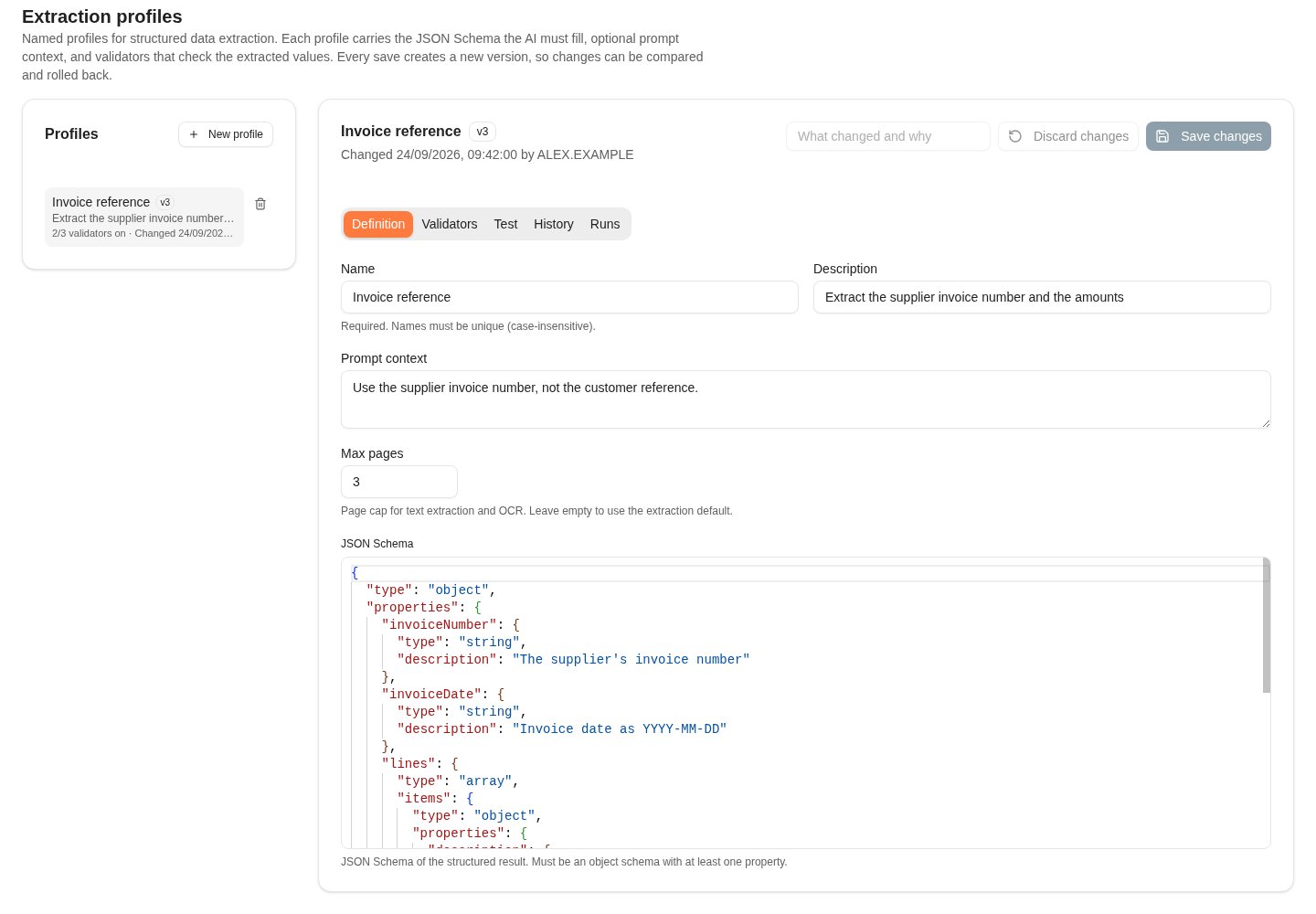
The Definition tab holds the profile's name, prompt context, page limit and JSON schema.
Add checks
The Validators tab lists the checks that run on every extraction result. A failing check lowers the confidence of the values it concerns, so they are sent for review. The checks never change the extracted data. Choose Add validator and pick what to check: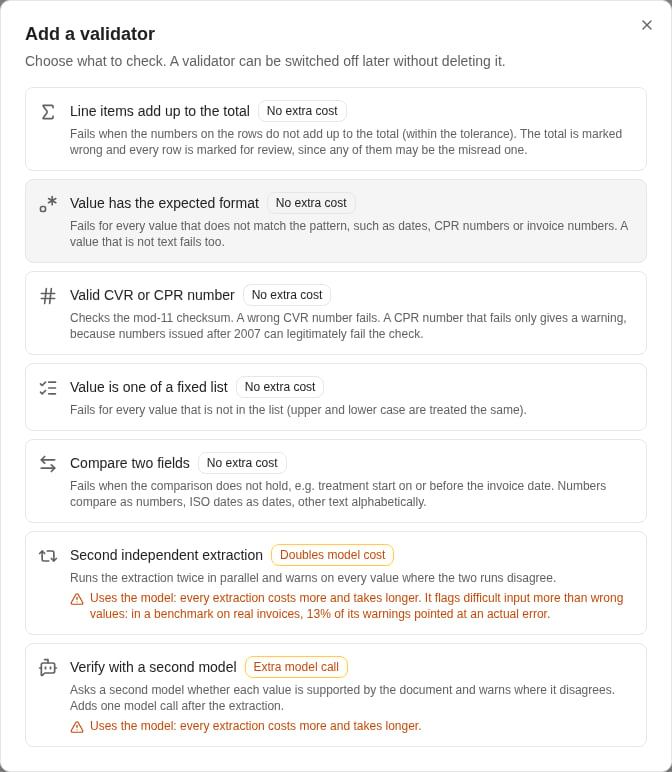
Each validator shows what it checks and whether it adds model cost.
- Switch a validator off to keep its settings without running it. A switched-off validator gives no result.
- Edit as JSON shows the validators as a JSON list that you can edit directly.
- Dry run runs the draft’s validators against sample data that you paste, without a document or a model, and shows which values they would mark. Model-based validators are skipped.
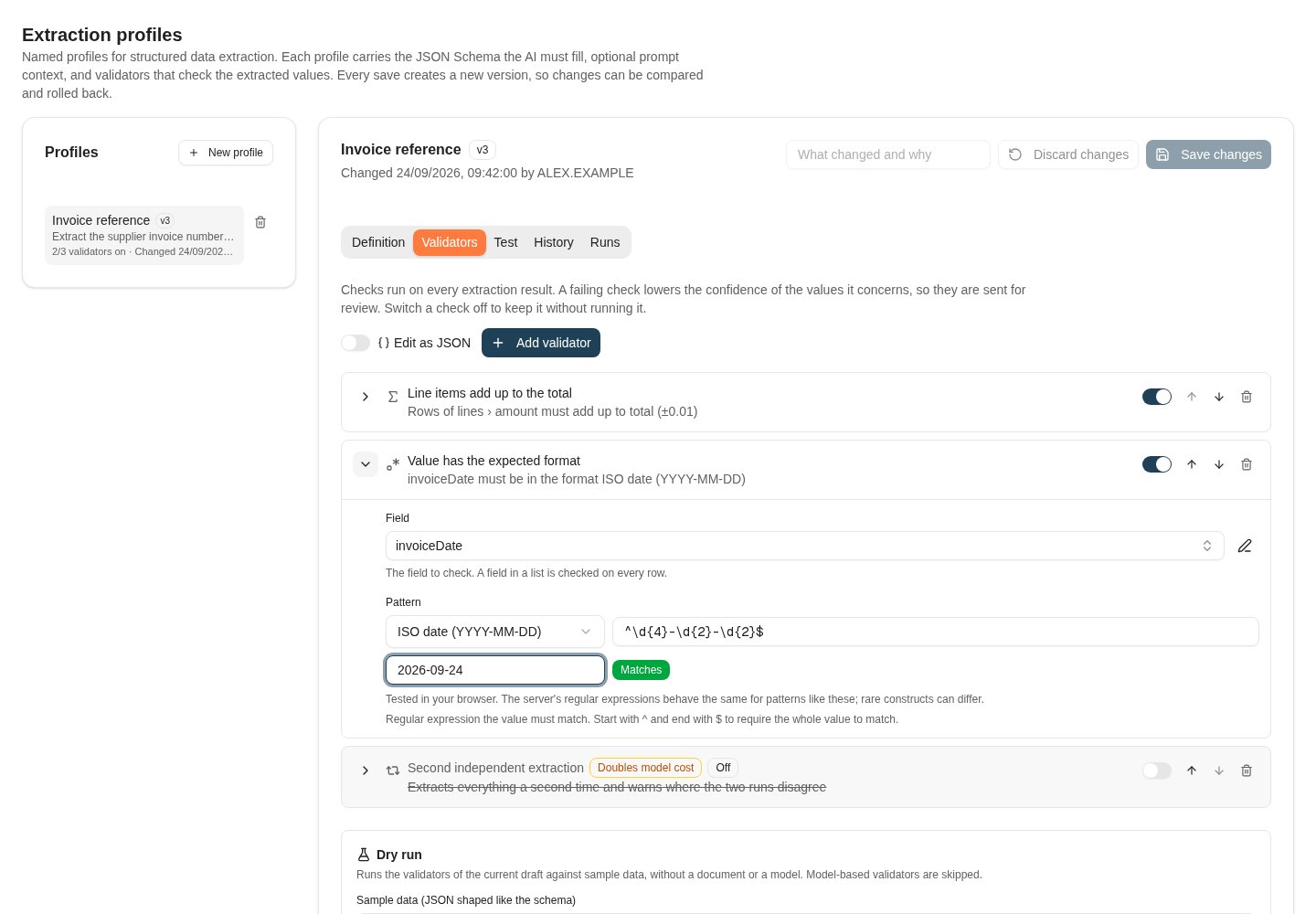
Validators are cards with their own settings; a switched-off validator keeps its settings.
Try a draft on a document
The Test tab runs the definition as it is on screen, including unsaved changes, against a document you choose. Nothing is saved. The document is sent to the model like a real extraction and counts towards AI usage. Trying a draft requiresai.extractionprofiles.manage.
Include a typical document, a document missing an expected field, and one with inconsistent totals or another intended validation failure. Check page limits against documents whose required information appears near the end.
The result shows the extracted values with their confidence, the validator results, where the text came from on each page (text layer or OCR), and each model call with the model and provider that answered.
Read the confidence of a value
Every value in the result gets its own confidence between 0 and 1, keyed by its path, such aslines[2].amount. The confidence starts from the model’s own rating and is lowered by the evidence against it:
The model usually rates a group of values rather than each one. Such values are marked Rated as a group; values it did not rate at all are marked Not rated by the model.
“In the text” compares with the text read from the document, not with the image. A value that OCR misread, and that the model copied faithfully, is still in the text; its OCR confidence is what gives it away.
Route values below a threshold, such as 0.8, to review. Use the confidence of each value, not the result’s overall confidence: a document can have a high overall confidence and still contain one misread value.
An integration reads the same information from the extraction response:
Each
fieldConfidence entry’s field is the path of its value in data, so an integration can join the two on it. To get each value with its confidence next to it instead, pass annotate=true: the response then also carries annotatedData, a copy of data in which every value is replaced by an object with the value and its confidence entry:
fieldConfidence list, with all its fields; the example shows only a few. data itself keeps the shape of the profile’s schema, and annotatedData is left out unless you ask for it.
An integration that must not pick up profile changes until they are tested can pin a version by passing profileVersion along with the profile name.
A file with several documents
An extraction reads one document. When a file holds more than one document of the kind the profile targets, such as several invoices scanned into one PDF, the extraction is refused instead of returning values mixed from all of them. Trying a draft on such a file is refused the same way. The refusal is an HTTP422 response with the problem type urn:nobly:insight:problem:multiple-documents. It carries documentCount, how many documents were found, and the runId of the run.
- Upload each document as its own file.
- Do not retry. Sending the same file again gives the same answer.
- Do not lower the profile’s Max pages to get past the refusal. The extraction would then read only the first pages and leave the documents after them out, without an error.
trace.documentCount. The count only means something when recognized is true, that is, when the file is the kind the profile targets.
The check cannot be switched off for a profile. If the document a profile targets is a bundle, such as an expense claim made up of several receipts, say in the prompt context what one document is. Otherwise the bundle is counted as several documents and refused.
If you believe a file was refused wrongly, send the runId from the response to Nobly support.
Versions and history
Every save creates a new version of the profile. Describe the change in What changed and why before you choose Save changes; the note is kept with the version. If someone else saved the profile after you opened it, you are asked to reload it instead of overwriting their change. The History tab lists every version with who changed it, when, and the note. Select a version to compare it with the current draft. Restore this version saves its definition as a new version; nothing is lost, because the version you replace stays in the history. A profile that arrives through configuration promotion also gets a new version, with the note “Configuration promotion”.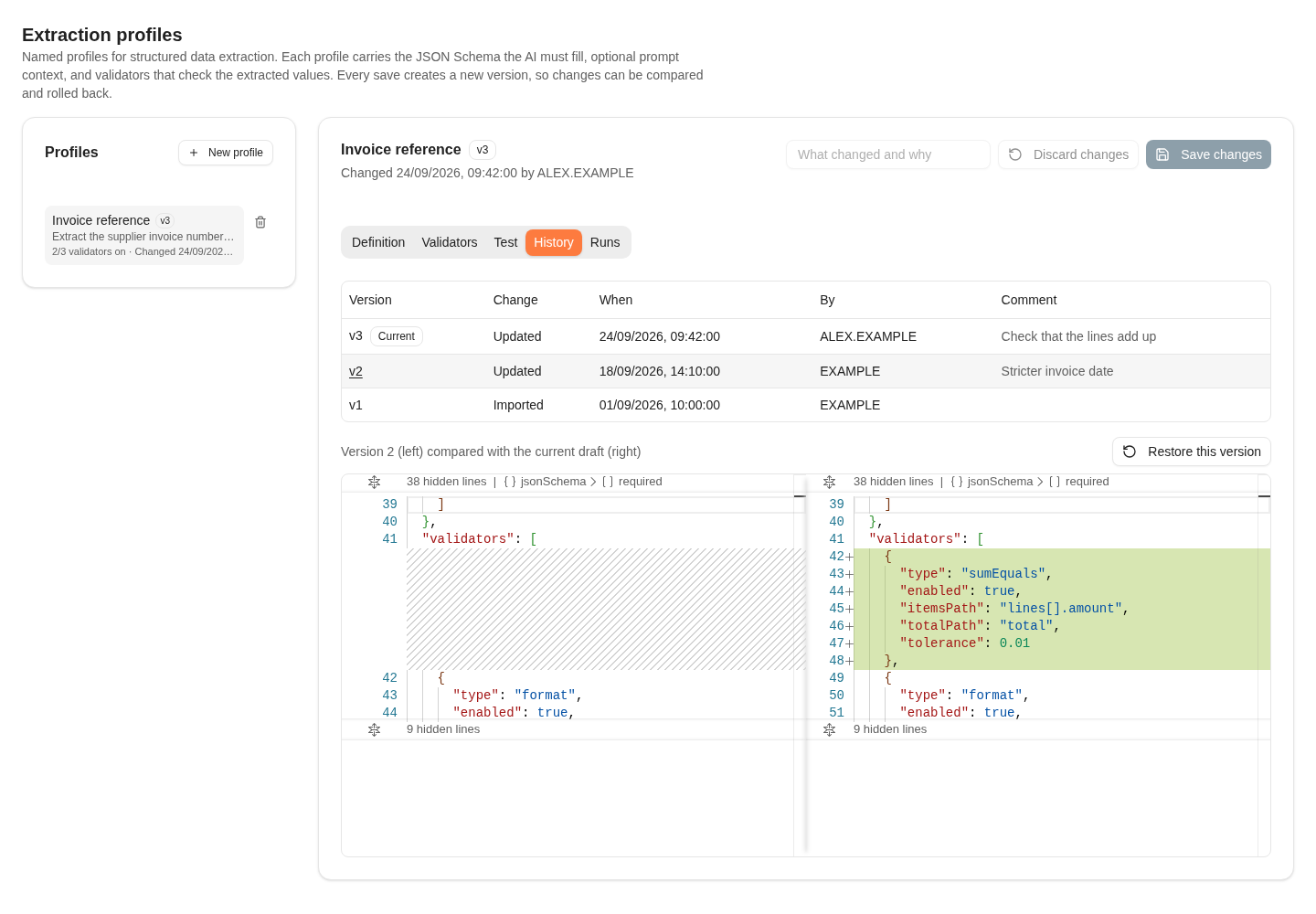
The History tab compares an earlier version with the current draft.
Follow extraction runs
The Runs tab lists every extraction with the profile, newest first, including tries of a draft, which are marked Draft. Each run shows how it ended, the profile version, the model and provider, the overall confidence, how many values came out low or not found in the text, how many validators failed or warned, how long it took, and who ran it. Select a run to see how each value was rated, with the same evidence as a test result. A run never keeps the extracted values themselves, so the run shows ratings, validator results and the model calls, but no values. A run that did not finish, for example because the model timed out, shows why. A file refused because it holds several documents shows as Several documents. Runs are kept for 90 days.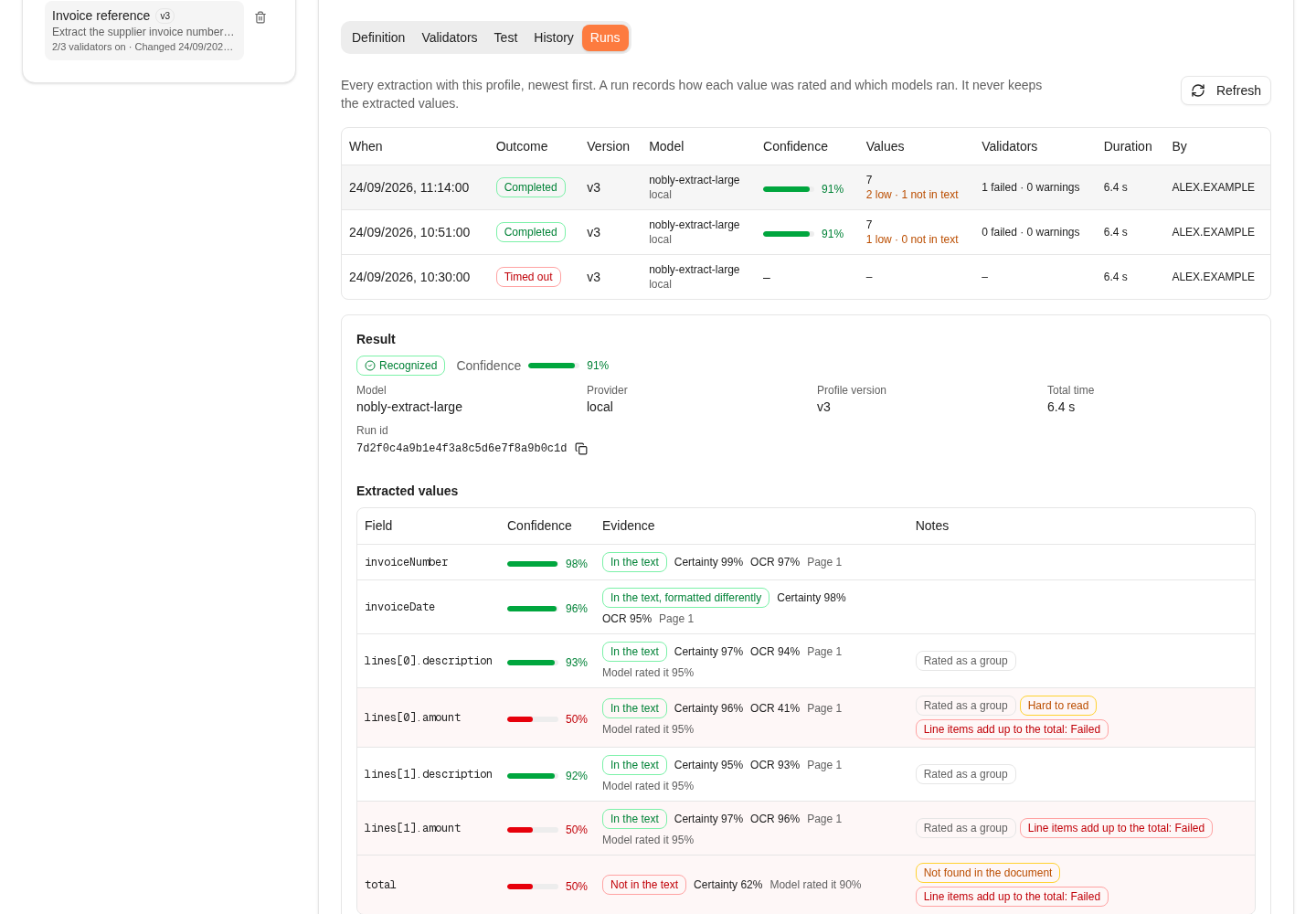
A run shows how every value was rated and why its confidence was lowered, without the values themselves.
Change or delete a profile
Review integrations that select a profile by name before renaming or deleting it. A renamed profile keeps its history. Deleting a profile removes it, and extraction requests that name it fail; its version history is kept.Where to read next
AI agents and shared settings
Configure chat agents, context boundaries, tools, quick prompts, model choices, and request limits.