

Prerequisites
The AI search feature must be available. Under Admin settings → AI Search Index,ai.searchindex.view permits statistics and progress inspection; ai.searchindex.manage permits indexing changes and bulk indexing jobs.
The AI search index supports retrieval. Removing an entry from it is not the same as deleting the source document, and changing the source document does not prove a particular indexing job has completed.
Inspect a known document first
Use Index Statistics to inspect indexed counts and a known document’s metadata and content details. Check its last synchronization time and whether it has content chunks or only metadata. A metadata-only entry cannot provide text retrieval from content it has never indexed. When diagnosing a missing result, check document access and security metadata as well as indexing status. Increasing ranking weights will not repair absent content or incorrect metadata.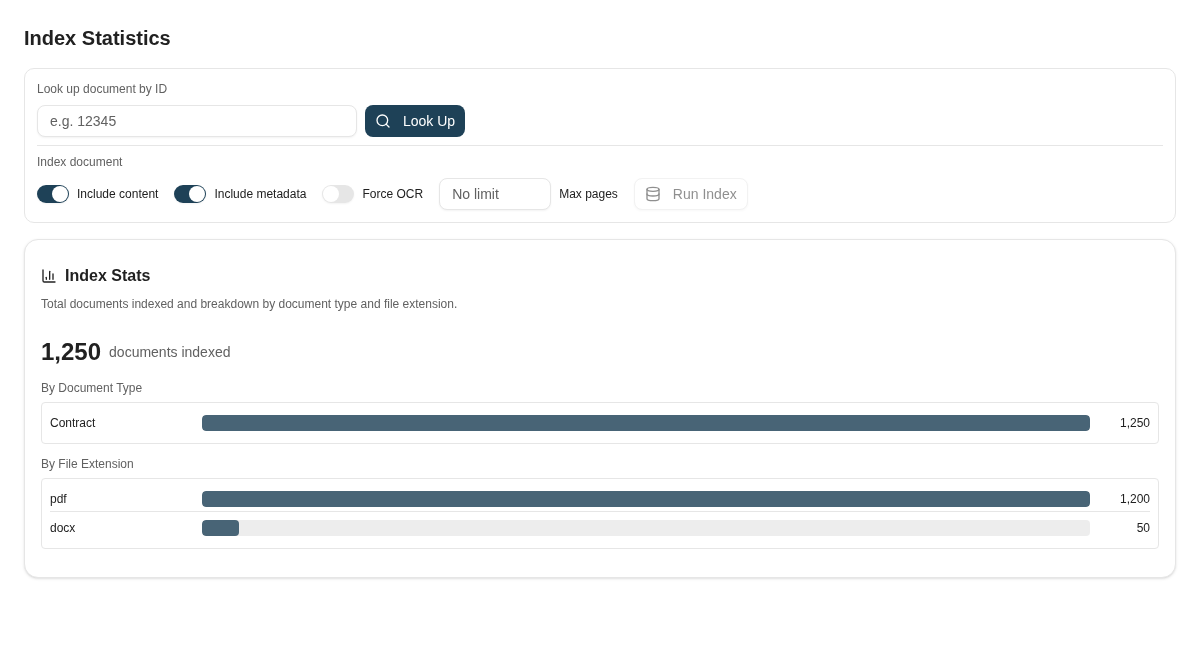
Inspect the index totals and a known document before planning a bulk indexing operation.
Plan a bounded bulk run
The Data migration screen performs bulk indexing. Select document types, date range, file extensions, maximum documents, and size limits appropriate to the task. Start with a small representative scope. Choose Dry Run to discover the matching population without fetching content, calling AI, or writing index entries. Review the discovered and already-indexed counts before starting an actual run.
A metadata-only pass leaves existing indexed content intact. Refreshing existing metadata requires Force Reindex, otherwise already-indexed documents are skipped.
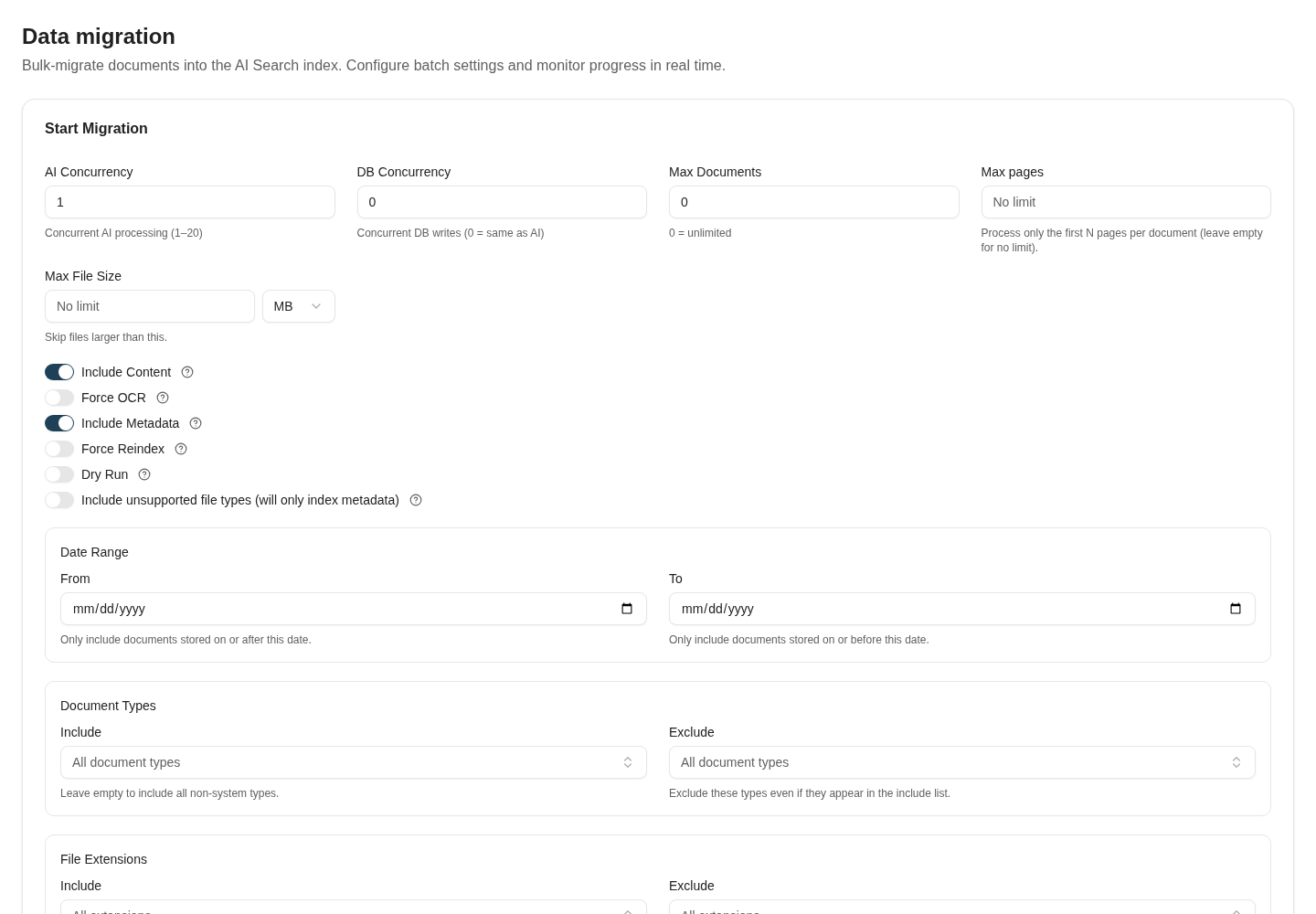
Bulk migration exposes limits, dry-run selection, content options, and document filters. Set a bounded scope before starting.
Monitor and recover
Inspect discovered, skipped, processed, successful, and failed counts, along with the latest failures and processing times. A run can have partial success; review its failures before declaring the population indexed. Pause, Resume, and Stop control an active run. Stopping is not a rollback of entries already written. A run shown from persisted history is not necessarily active in the current service process; interrupted runs are not automatically resumed. Start a new bounded run after investigating, normally keeping the skip-already-indexed behavior unless existing entries need refreshing. Use a representative indexed document to verify content, metadata, and access after completion. Retain the job information and failing document IDs for support without copying full confidential documents into a ticket.Where to read next
AI document classification
Let AI classify an uploaded document and fill its keywords in one step, with a confidence score and the reasoning behind every suggestion.
Caseflow
Configure the business objects and forms that connect related work in Insight.