

Approvals
When a policy requires approval, the documents it would delete are collected into an approval batch for the policy’s approver groups to sign off.- A policy can have only one open batch at a time.
- The policy’s approver groups decide who can approve or reject the batch.
- Approvers can sign off the whole batch, or exclude individual documents from it without affecting the rest — useful when you want to keep one specific document.
- If a batch is rejected, its documents go back to Tagged and a fresh batch forms on the next cycle if they still match.
- A batch with nothing left to approve — because every document in it was since excluded or placed on hold — is auto-rejected on the next cycle.
Escape valves
There are three ways to stop a document from being deleted. Each maps to a different need, so make sure your admins know which to use.
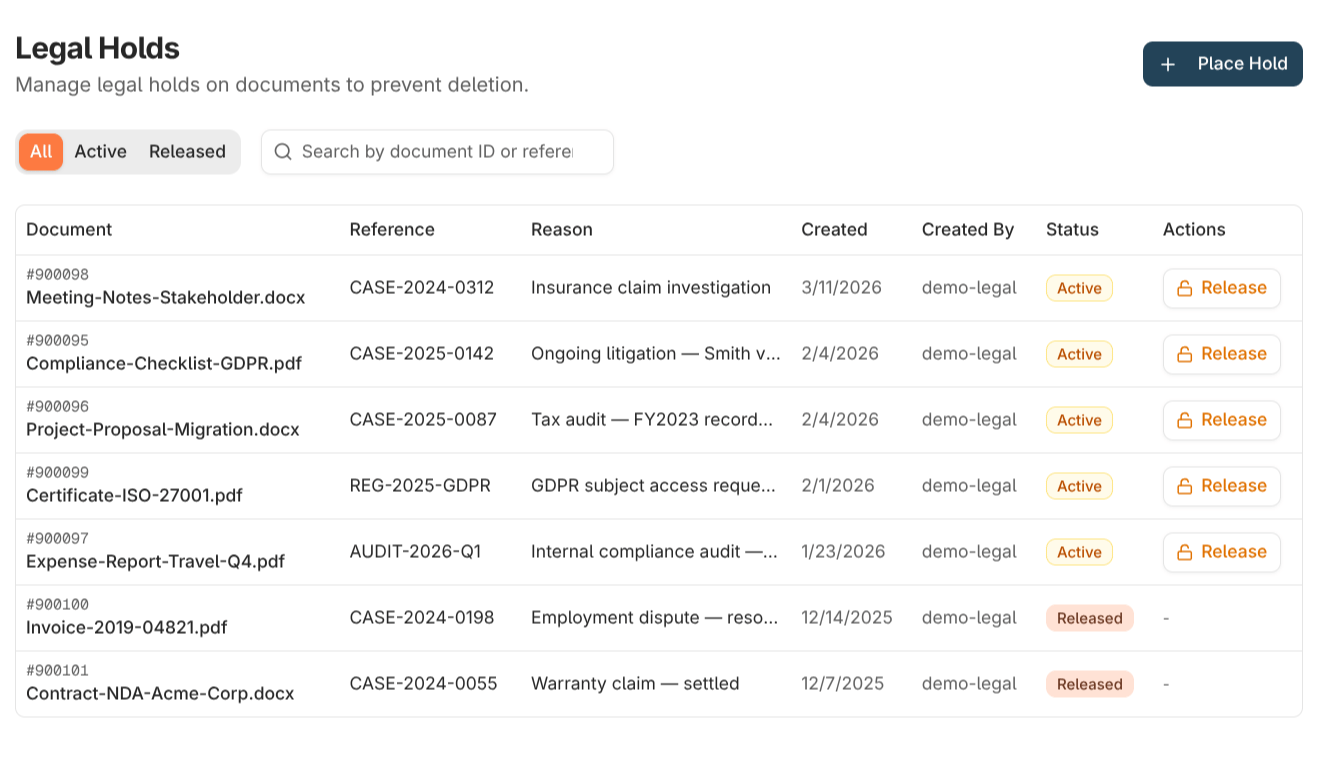
A legal hold takes effect immediately and is checked at the moment of deletion, so a document placed on hold is never deleted by a cycle that’s already running. For blanket, cross-policy protection — a litigation hold, say — use a legal hold rather than rescuing or excluding under each policy individually.
Quarantine
A document is quarantined when processing can’t complete an operation on it — for example, storage is briefly unavailable, the document changed mid-process, or a legal hold landed between tagging and deletion. From the Quarantine view:- Retry lets the next cycle pick the document up again, once the underlying issue is resolved.
- Resolve marks the entry as manually handled and records the decision, leaving the document’s state untouched.
Where to read next
Scheduling & access
When processing runs, and how to grant retention access to user groups.