

Navigation links
Under Admin settings → Navigation → Custom links, maintain the links offered by your environment. Use names that explain the destination and verify each link with the intended account. A link to another application does not grant access to it or prove its sign-in configuration is shared with Insight.Banners
Under Notices → Banners,client.banners.manage permits creating and maintaining notices. Supply the message, severity (Information, Warning, or Error), and enabled state. Show in add-in also presents it in the Office add-in.
Use a message that tells people what is affected and what action to take. After saving, verify it on the intended surfaces and disable or remove it when it no longer applies. A banner communicates a restriction; it does not enforce one.
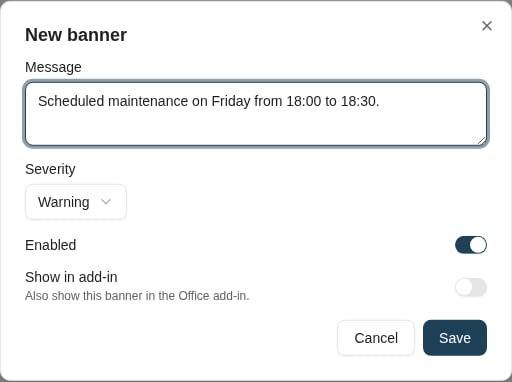
A maintenance banner has a severity, enabled state, and a separate Office add-in visibility setting.
Archive trashcan
Documents → Document maintenance exposes the Archive Trashcan for accounts with the required administration and Document Maintenance access. Search and review deleted documents, their type, who deleted them, and the deletion time before selecting a cleanup action. Review the selected count and records before confirming, then inspect per-item results because a batch can partially fail. Resolve the cause of any refusal instead of repeatedly resubmitting it. For policy-governed disposal, use Retention and deletion, including its approvals, holds, and quarantine. Do not treat manual purge as a substitute for the organisation’s retention process.Where to read next
System searches
Configure shared document and combined searches, organize them in folders, and verify their scope and access.