

Keyword types
A keyword type is the reusable definition of a metadata field — Invoice number, Customer name, Date received. You define it once and assign it to as many document types as you need. Its data type and validation rules then apply everywhere it’s used. Manage keyword types under Admin settings → Keywords → Keyword types (open Admin settings from your profile menu at the bottom-left of the sidebar). The list shows every keyword type with its data type, length, any value list, and which document types use it. The same screen has a second tab for keyword type groups.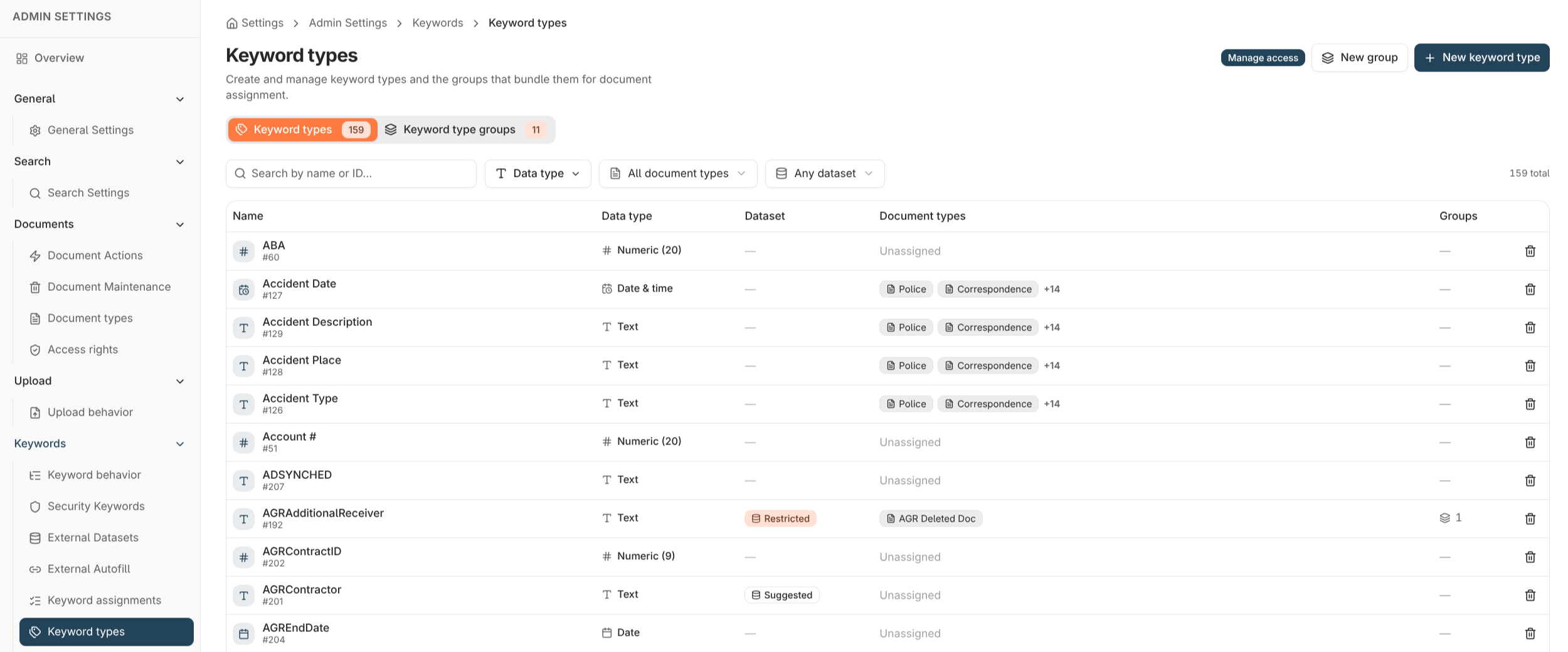
Data types
The data type fixes what kind of value a keyword accepts and how it’s validated, sorted, and searched. Choose it when you create the keyword type.Pick the most specific data type that fits. It drives correct sorting and comparison (so dates sort as dates, not text), tighter validation, and better search — and the data type can’t be changed later without recreating the keyword.
Text keyword options
Text keywords support extra validation that the other data types don’t:Lengthening a text keyword
You can increase a text keyword’s maximum length later if values outgrow it. You cannot shorten it, because that would risk truncating values already stored. Plan a generous length up front for fields that might grow.Value lists
A value list (dataset) attaches a set of allowed values to a keyword, so users pick from a list instead of typing freely. There are two strengths:
You enter the values one per line when creating or editing the keyword type. A restricted list must contain at least one value.
Deleting a keyword type
Deleting a keyword type is permanent and requires the Keyword Configuration Administration permission (see Application permissions). A keyword type cannot be deleted while it’s still in use. Nobly Insight blocks the delete and tells you what references it — for example:- it’s assigned to a document type,
- it’s a member of a keyword type group or autofill keyword set,
- it’s used by a security keyword rule or a retention policy,
- it still has stored values.
Where to read next
Keyword assignment models
Assign keyword types to document types as standalone fields or grouped together.
Autofill keyword sets
Fill related keywords automatically from a single look-up value.