

Prerequisites
You needworkflows.test, and workflows.view to open the workflow. Testing is available for workflows of the UdmModel data type. Use a test environment.
Create a workflow test
Open the workflow and choose the Testing tab, then New workflow test.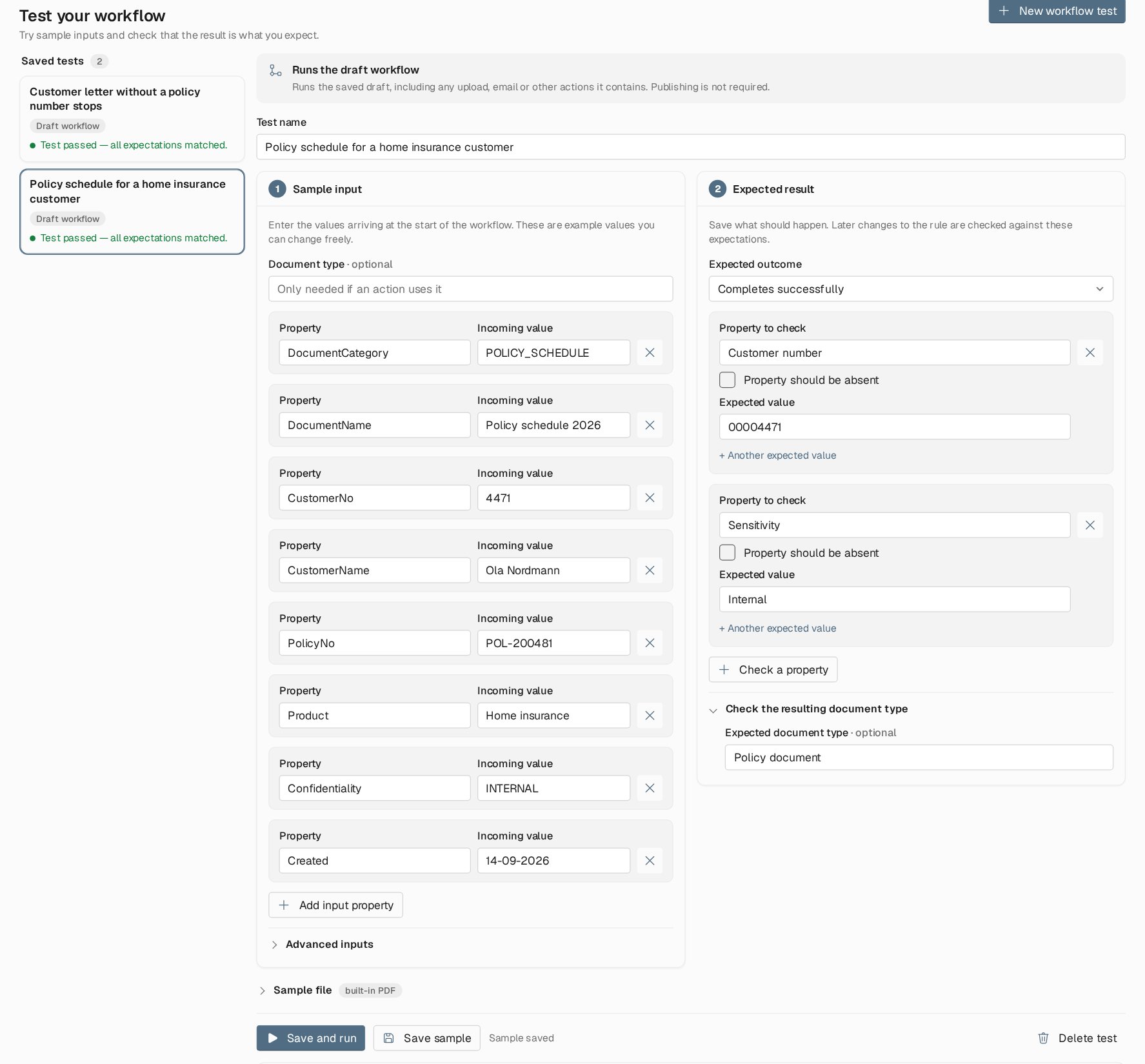
A workflow test for a policy schedule. The sample input lists the properties a sender would deliver; the expected result requires a completed run, the Policy document type, and two keyword values.
1
Name the test
Give it a name that says what it proves, for example Customer letter without a policy number stops.
2
Enter the sample input
Under 1 Sample input, add one row per incoming property with its value, as the sending system would deliver it. Add the sender’s document type if the workflow uses it. Advanced inputs lets you put properties into groups for keyword records. For properties that a Modify property step translates, the editor suggests known values.
3
Set the expected result
Under 2 Expected result, choose the Expected outcome:
- Completes successfully
- Stops with an explanation
- Do not check the outcome
4
Save and run
Choose Save and run. The sample is saved first, then the run starts. Results refresh while the run is in progress.
Expectations and document mappings
When the workflow has a Map to Insight document step, the checks apply to the mapped document. The expected document type is the one the mapping produced. An expected property with the name of a keyword the mapping writes is checked against that keyword. A name the mapping does not write is still checked against the item’s properties, so you can check a value a step prepares before the mapping. Several expected values for one property are compared without regard to order. Letter case, blank values and an absent property all count as different results.Read the result
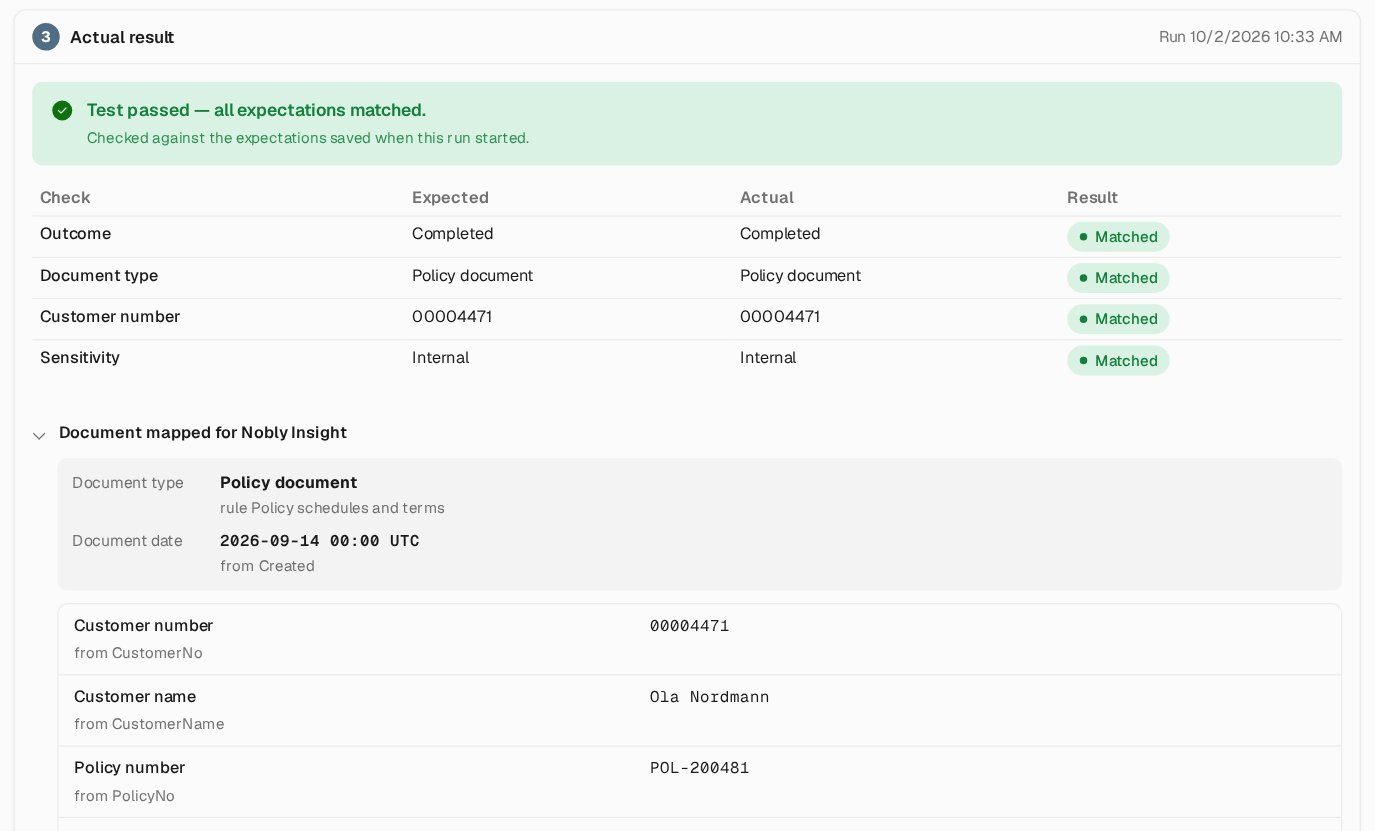
A passed test. Each check shows the expected and actual value, followed by the document the mapping produced for Nobly Insight and the metadata before and after the run.
A result is checked against the expectations saved when that run started. Editing the test later does not change earlier results. Stops with an explanation lets an intentional rejection pass, such as an unknown code that the mapping is meant to refuse. A test that could not start never satisfies it.
Below the checks, the result shows the Document mapped for Nobly Insight with the reason for each value, and the item’s Metadata before and after. Run details and logs gives the trace ID, a link to the run on the States page, and its log.
Useful tests for a new flow:
- one normal document per document type the mapping can produce
- a document with mandatory metadata missing
- an unknown value for each lookup
- a controlled failure of each external call, to see the exception flow at work
Test one Modify property step
A Modify property step can be tested on its own, without running the rest of the workflow or uploading anything:- In the step’s Try it card, choose a sample value and Preview sample.
- Choose Save as test.
- Review the sample and the expected result, then save.
Where to read next
Variables and tools
Global variables and secrets, the expression tester, the script helper for other systems, and system settings.