

Start from a working search
Open Search and choose Configure Search. Build and run a search that returns the records you intended before saving it. For example, select Contract and filter on a known customer reference. Alternatively, add a document-date preset such as Today. The configurator requires a keyword or document-date filter before Search and Save become available. Simple, Advanced, and Combined offer different configuration depths. Combined can include Caseflow data when that feature is available; use a document-only search when that is all the task needs.Choose useful output
In Output Columns, select the fields you need to distinguish results, such as document name, type, and a customer reference. Include File size when you need to compare document sizes. Review sorting and maximum results. A narrow visible column set does not remove other metadata from the stored document.Save under My searches
- Choose Save in the configurator.
- Give the search a recognizable name, such as
Contracts for customer AB-1042. - Choose a destination folder when you use folders to organize My searches.
- Confirm Save, then find it in My searches.
- Select it again and verify that its filters and columns are preserved.
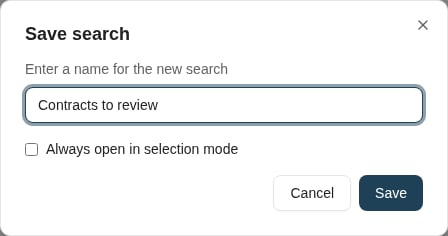
Name the reusable search before saving it under My searches.
Change an existing search
Open the saved search’s configuration. Review the search name and criteria before saving: Save updates the selected search; Save as new creates a separate search when editing an existing one. Use a separate saved search when you want to preserve the original for another task. Prefer names that describe the business purpose and any fixed filter values.Share the intent safely
A Copy as Link action can represent the search in a link where supported. The recipient still needs access to the feature and records. If the client cannot represent required filters, it can refuse to create the link; do not remove important filters merely to make sharing succeed. For a managed search used by a whole team, ask someone with system-search management permission to configure a system search. A personal saved search and a system search have different ownership and visibility controls.Where to read next
How to upload and index documents
Add files, choose their document types, review keyword values, and verify the archived result.