> ## Documentation Index
> Fetch the complete documentation index at: https://docs.insight.nobly.dk/llms.txt
> Use this file to discover all available pages before exploring further.
# API clients and service accounts
> Create a dedicated machine identity, grant its group access, rotate its secret, and disable an integration.
## Prerequisites
Open **Admin settings → Access → API clients**. You need `iam.clients.view` to inspect clients or `iam.clients.manage` to create, enable, disable, and rotate credentials. The environment must have identity administration available.
Use one API client per integration so its rights, credentials, and lifecycle can be managed independently. Interactive AI assistants that act as a person use the [AI assistant access](/mcp/introduction) flow instead.
## Create a client
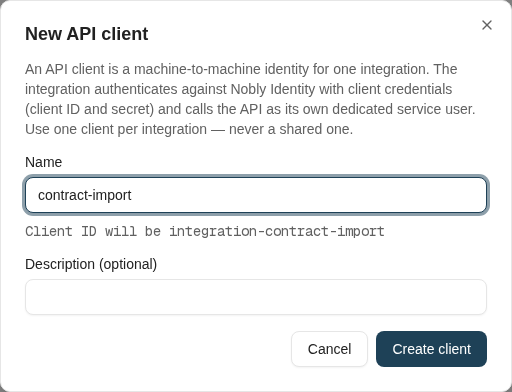
Choose **New API client**, enter a short integration name and description, and review the generated client ID. The name uses lowercase letters, digits, and single dashes; the client ID has the `integration-` prefix.
Creation provisions three related objects:
| Object | Purpose |
| ---------------------- | ----------------------------------------------------------------- |
| API client | Authenticates the application using a client ID and secret |
| Dedicated service user | Represents the integration when it calls Insight |
| Dedicated user group | Carries the integration's access rights; it starts without rights |
Copy the **Client ID** and **Client Secret** from the result and store the secret in the integration's credential store before closing the dialog. The secret is shown only at creation or rotation. If it is lost, rotate it; it cannot be retrieved from the list.
 ## Grant only the intended access
The result identifies the service user and group. Grant that group the permissions required for its work:
* [Application permissions](/permissions/application-permissions) for administration or feature-specific operations.
* [Document access rights](/configuration/document-access-rights) for the document types and operations it needs.
* Relevant record restrictions and Caseflow permissions where the integration accesses those objects.
Client creation does not confer broad document access. Test with a record the integration should reach and another it should not reach before enabling unattended processing.
The integration obtains a token from Nobly Identity using client credentials and presents it to the Insight API. Use the identity and API addresses supplied for the environment; copying another environment's endpoints or metadata identifiers is not a reliable setup procedure.
## Grant only the intended access
The result identifies the service user and group. Grant that group the permissions required for its work:
* [Application permissions](/permissions/application-permissions) for administration or feature-specific operations.
* [Document access rights](/configuration/document-access-rights) for the document types and operations it needs.
* Relevant record restrictions and Caseflow permissions where the integration accesses those objects.
Client creation does not confer broad document access. Test with a record the integration should reach and another it should not reach before enabling unattended processing.
The integration obtains a token from Nobly Identity using client credentials and presents it to the Insight API. Use the identity and API addresses supplied for the environment; copying another environment's endpoints or metadata identifiers is not a reliable setup procedure.
 ## Rotate credentials
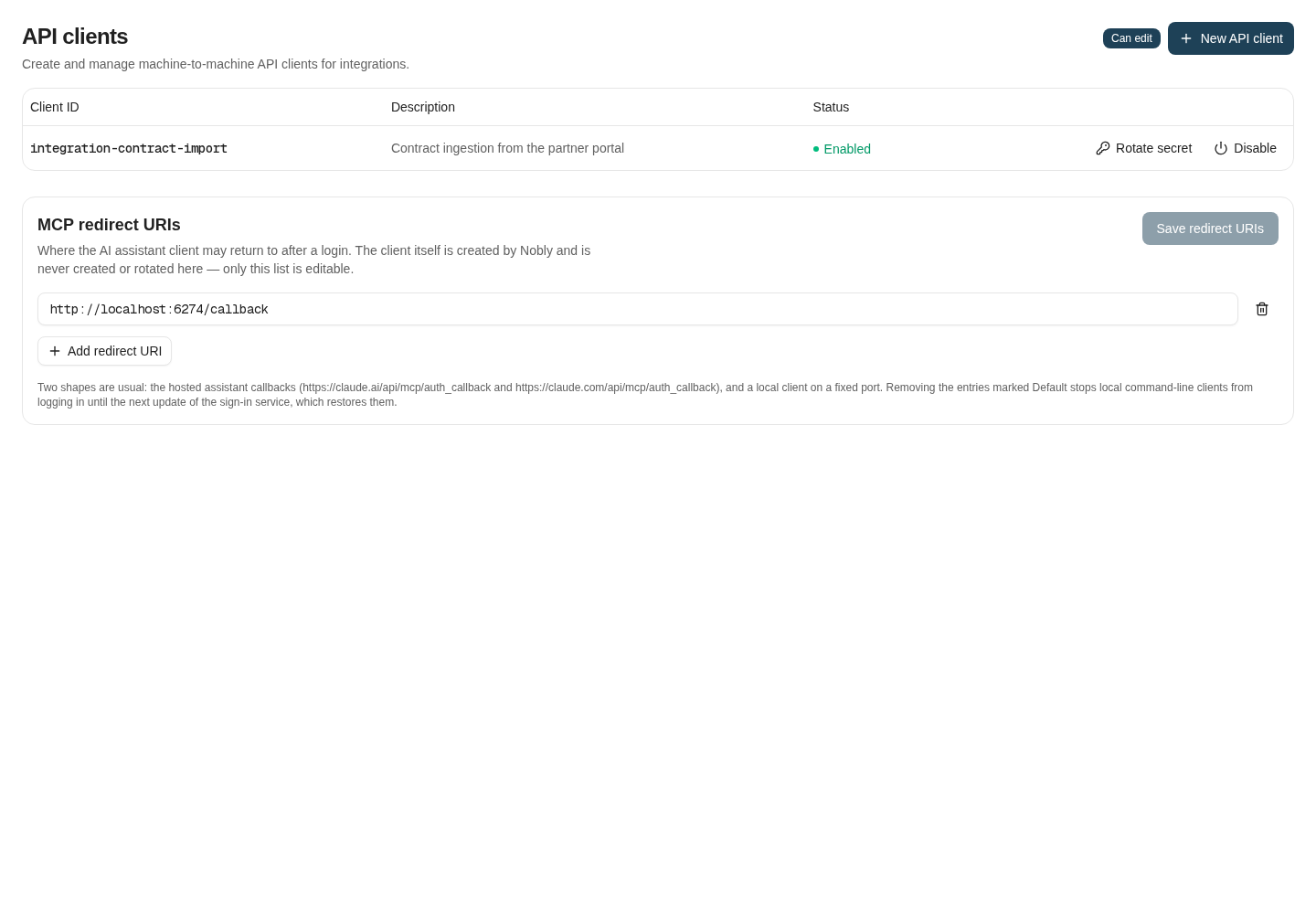
Coordinate the update with the integration owner, choose **Rotate secret**, and confirm. The old secret stops working immediately. Copy and store the new secret, update the integration, and verify that it can obtain a new token and perform an authorized operation.
Rotation changes token-acquisition credentials. Do not treat it as proof that every previously issued access token has stopped working. For an incident, coordinate account disabling and session/token handling with the identity administrator.
## Disable and re-enable
Use **Disable** when an integration is retired or should stop authenticating. The managed-client operation also synchronizes the associated Insight service user's enabled state. Review the result and investigate any reported failure before assuming both sides changed successfully.
The screen does not delete clients; disabled clients remain visible and can be re-enabled. Preserve the dedicated group and audit context until you have reviewed all dependent access.
## Troubleshooting
| Symptom | Check |
| ---------------------------------------- | -------------------------------------------------------------------------------------------------- |
| API clients screen unavailable | View permission and environment support for identity administration |
| Name is already in use | Existing client, service username, or dedicated group; do not reuse another integration's identity |
| Token request fails | Environment, client ID, latest secret, and enabled status |
| Token works but API denies the operation | Service-user membership and application/content rights |
| Behavior did not change after a grant | Obtain a fresh token and recheck effective access |
## Where to read next
Choose the right Insight integration surface and validate identities, metadata, responses, and background outcomes.
## Rotate credentials
Coordinate the update with the integration owner, choose **Rotate secret**, and confirm. The old secret stops working immediately. Copy and store the new secret, update the integration, and verify that it can obtain a new token and perform an authorized operation.
Rotation changes token-acquisition credentials. Do not treat it as proof that every previously issued access token has stopped working. For an incident, coordinate account disabling and session/token handling with the identity administrator.
## Disable and re-enable
Use **Disable** when an integration is retired or should stop authenticating. The managed-client operation also synchronizes the associated Insight service user's enabled state. Review the result and investigate any reported failure before assuming both sides changed successfully.
The screen does not delete clients; disabled clients remain visible and can be re-enabled. Preserve the dedicated group and audit context until you have reviewed all dependent access.
## Troubleshooting
| Symptom | Check |
| ---------------------------------------- | -------------------------------------------------------------------------------------------------- |
| API clients screen unavailable | View permission and environment support for identity administration |
| Name is already in use | Existing client, service username, or dedicated group; do not reuse another integration's identity |
| Token request fails | Environment, client ID, latest secret, and enabled status |
| Token works but API denies the operation | Service-user membership and application/content rights |
| Behavior did not change after a grant | Obtain a fresh token and recheck effective access |
## Where to read next
Choose the right Insight integration surface and validate identities, metadata, responses, and background outcomes.