> ## Documentation Index
> Fetch the complete documentation index at: https://docs.insight.nobly.dk/llms.txt
> Use this file to discover all available pages before exploring further.
# Mass value editing
> Preview and replace a stored alphanumeric keyword value across a selected document scope, then monitor the background job.
## Prerequisites
You need `keyword-configuration.manage`. Open **Admin settings → Keywords → Mass value editing**. This operation changes stored metadata on existing documents; use it for an agreed correction, not to change a keyword's definition.
## Check the impact
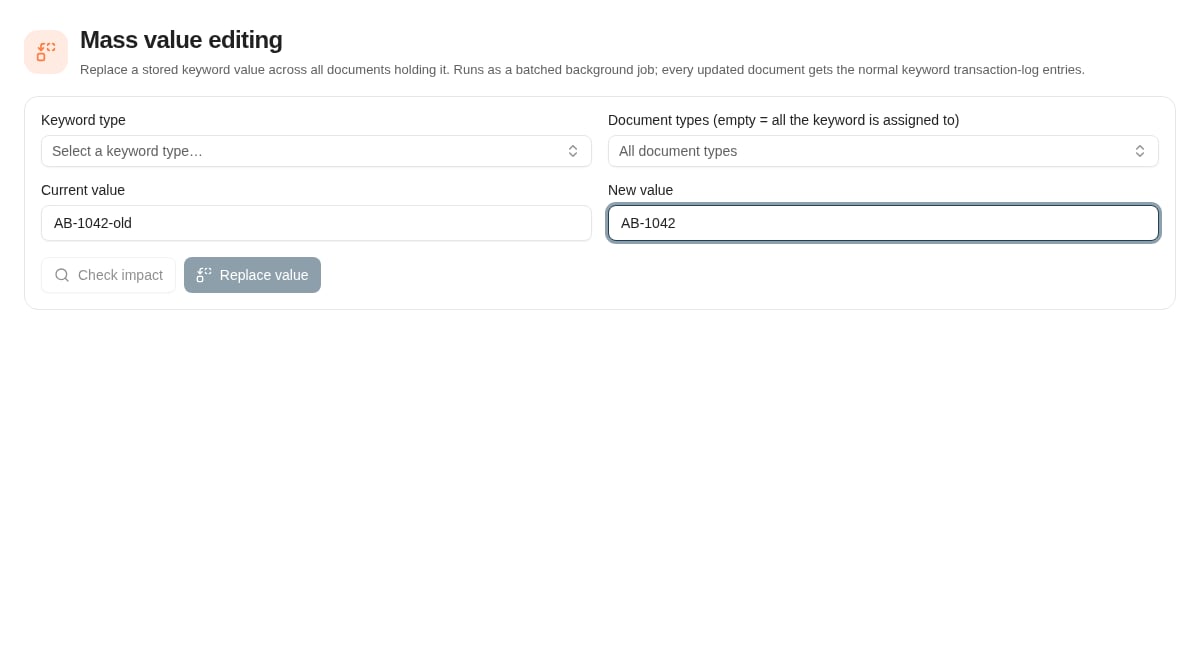
Choose an **alphanumeric** keyword type, enter the current stored value and its replacement, and select document types. Leaving document types empty covers all types to which the keyword is assigned.
Choose **Check impact** and review the number of affected documents. Changing the keyword type, current value, or document-type scope invalidates the preview; run the impact check again. The screen does not permit a replacement with no matches, an empty replacement, or a replacement identical to the current value.
If document auto-names depend on the keyword, review the option to recompute those names. Keyword values can also drive security rules, folder grouping, external integrations, and reporting, so include those owners in the change review where relevant.
 ## Replace and monitor
After checking the exact scope and values, choose the replacement action and confirm. The update runs as a batched background job, with normal keyword transaction-log entries for updated documents. Inspect the job monitor on the same page; an accepted request is not a completed replacement.
Another replacement cannot be started while the current job is running. Review failures and sample resulting documents before repeating the operation.
## Recovery considerations
There is no general undo implied by this page. Replacing the new value back with the old value could also affect documents that already had the new value before this job. Retain the approved scope and impact information, and investigate partial results before planning a corrective update.
## Where to read next
Configure a keyword's external value lookup, scope it to document types, and test its query before use.
Review the account and content-access rules affected by configuration changes.
## Replace and monitor
After checking the exact scope and values, choose the replacement action and confirm. The update runs as a batched background job, with normal keyword transaction-log entries for updated documents. Inspect the job monitor on the same page; an accepted request is not a completed replacement.
Another replacement cannot be started while the current job is running. Review failures and sample resulting documents before repeating the operation.
## Recovery considerations
There is no general undo implied by this page. Replacing the new value back with the old value could also affect documents that already had the new value before this job. Retain the approved scope and impact information, and investigate partial results before planning a corrective update.
## Where to read next
Configure a keyword's external value lookup, scope it to document types, and test its query before use.
Review the account and content-access rules affected by configuration changes.