> ## Documentation Index
> Fetch the complete documentation index at: https://docs.insight.nobly.dk/llms.txt
> Use this file to discover all available pages before exploring further.
# Applications, classes, and attributes
> Model Caseflow business objects, define typed attributes and relationships, and review class access before building templates.
## Prerequisites
Open **Admin settings → Caseflow → Applications & classes**. `caseflow-configuration.view` permits inspection, `caseflow-configuration.manage` permits creation and editing, and `caseflow-configuration.admin` permits destructive configuration changes.
An **application** groups a business area, a **class** defines an object type, and an **attribute** stores one part of an object's data. [Templates](/caseflow/templates) present and edit that model; creating a template does not create the underlying class or attributes.
## Model before designing the form
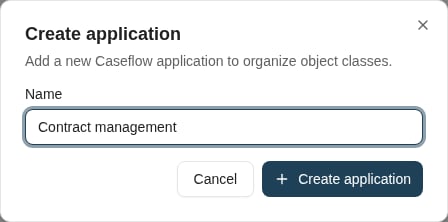
Create an application or select an existing one. Create the classes the process needs, then open a class to configure its name, display name, object-name pattern, access rights, and attributes.
Choose stable names used by templates, scripts, and saved searches. A display label can help people understand a field, but changing a referenced name requires reviewing those consumers.
 ## Choose attribute types deliberately
For each attribute, choose a name, optional display name, and data type. Text attributes have a length; other supported types represent numbers, dates, booleans, or relationships. Supply a default where appropriate.
A **relation** attribute points to one object of another class. Select the related class at creation. A relation cannot have a text length, default value, or dataset binding. Use the actual model relationship when configuring relation pickers and related-object searches.
The editor does not permit changing an existing attribute's type, text length, or relation target class. Plan a data-model change instead of assuming an in-place type conversion is available.
## Configure access and presentation separately
Review the class's access rights for the groups that will create or work with its objects. Template visibility is another layer: a group seeing a template is not, by itself, a grant to modify the underlying object.
Use the application priority controls to choose the default and order offered in Caseflow. Use [Attribute administration](/caseflow/administration#attribute-administration) to control bulk-edit eligibility and table-filter visibility, and template administration for form layouts and group-specific views.
Test object creation, editing, related-object selection, and search with an account in the intended group. Repeat with a group that should have read-only or no access.
## Destructive changes
Deleting an attribute removes its stored values and cannot be undone through the editor. Review templates, scripts, searches, reports, relations, and existing data before removing attributes or classes. Resolve reported dependencies deliberately; deleting presentation controls alone does not remove every consumer of the underlying model.
## Where to read next
Create an editable contract form, preview it, resolve validation issues, and verify template selection and saving.
## Choose attribute types deliberately
For each attribute, choose a name, optional display name, and data type. Text attributes have a length; other supported types represent numbers, dates, booleans, or relationships. Supply a default where appropriate.
A **relation** attribute points to one object of another class. Select the related class at creation. A relation cannot have a text length, default value, or dataset binding. Use the actual model relationship when configuring relation pickers and related-object searches.
The editor does not permit changing an existing attribute's type, text length, or relation target class. Plan a data-model change instead of assuming an in-place type conversion is available.
## Configure access and presentation separately
Review the class's access rights for the groups that will create or work with its objects. Template visibility is another layer: a group seeing a template is not, by itself, a grant to modify the underlying object.
Use the application priority controls to choose the default and order offered in Caseflow. Use [Attribute administration](/caseflow/administration#attribute-administration) to control bulk-edit eligibility and table-filter visibility, and template administration for form layouts and group-specific views.
Test object creation, editing, related-object selection, and search with an account in the intended group. Repeat with a group that should have read-only or no access.
## Destructive changes
Deleting an attribute removes its stored values and cannot be undone through the editor. Review templates, scripts, searches, reports, relations, and existing data before removing attributes or classes. Resolve reported dependencies deliberately; deleting presentation controls alone does not remove every consumer of the underlying model.
## Where to read next
Create an editable contract form, preview it, resolve validation issues, and verify template selection and saving.